Does Fiori Elements Replace UI5 Developers?

A SAPUI5 developer opens SAP Business Application Studio, generates a List Report from a CDS view, adds a dozen UI annotations, and has a working, draft-enabled, filterable application before lunch. No XML view was written. No controller. No formatter. It is hard to watch that happen and not ask the obvious question: if the framework builds the screen from metadata, why does anyone still need me?
The question is louder now because Fiori Elements no longer stands alone. RAP generates the behavior and service layer on the ABAP side. CAP does the same on SAP BTP. CDS annotations describe the UI declaratively. SAP's own S/4HANA apps are overwhelmingly Fiori Elements–based, and every roadmap slide points in the same direction: metadata in, application out. For developers who built careers writing views and controllers by hand — and for ABAP developers who just retrained into Fiori — it feels like the ground is moving.
It is moving, but not in the direction of "no developers." The short version of this article: Fiori Elements eliminates a specific kind of work — hand-coding standardized screens — and in exchange it demands a different kind: modeling services, authoring annotations, extending templates, debugging generated apps, and above all judging which approach fits which requirement. That last skill cannot be generated from metadata. Let's take it section by section.
What Is Fiori Elements?
Fiori Elements is SAP's metadata-driven application framework built on top of SAPUI5. Instead of writing the user interface, you describe the data and its intended presentation, and the framework renders the app at runtime from that description.
The mechanics rest on three pillars:
Floorplans. Fiori Elements offers a small, deliberate catalog of page templates: the List Report (filter bar plus table), the Object Page (detail view with header and sections), the Analytical List Page (chart plus table with drill-down), the Overview Page (card-based landing page), and the Worklist. You choose a floorplan; you do not design a layout.
Annotations. Annotations are the instructions that populate the floorplan. @UI.lineItem puts a field in the table. @UI.selectionField promotes it to the filter bar. @UI.headerInfo names the object on its detail page. @UI.facet organizes the Object Page into sections. On S/4HANA these usually live directly in CDS views; elsewhere they can sit in a local annotation file in the project. Writing, structuring, and debugging annotations is the core authoring activity in a Fiori Elements project.
OData services. The app consumes an OData service — V2 historically, V4 for everything new — which supplies the entities, associations, draft capabilities, and actions. The service defines what is possible; annotations define what is shown.
Because behavior comes from the template and content comes from metadata, a standardized pattern like "searchable list that opens into an editable detail page" requires essentially zero hand-written UI code. And because every floorplan implements the SAP Fiori design guidelines, the result is automatically consistent with the rest of the SAP landscape — same filter bar, same table behavior, same edit flow the user already knows from other apps.
Why Fiori Elements Exists
To understand the framework, look at the problem SAP had before it. S/4HANA ships with thousands of applications, and structurally most of them are near-clones: display a filtered list of business objects, open one, edit a few fields, save. When each of those apps is hand-built — by different teams, over different years — you get thousands of subtly divergent implementations. One app's filter bar behaves differently from the next. One handles drafts, another doesn't. Every bug is fixed in one place and still alive in fifty others.
Fiori Elements is the industrial answer to that problem, and its motivations are pragmatic rather than visionary:
- Consistency at scale. One template, thousands of apps. Users transfer knowledge between apps instantly; accessibility and responsiveness are solved once, centrally.
- Speed on common patterns. When the CDS model exists, a functioning app is a generator run and an afternoon of annotations away — a fraction of the effort of an equivalent freestyle build.
- Cheaper maintenance. The UI logic lives in SAP's template, not in your repository. When SAP ships an improved table control or fixes a keyboard-navigation bug, every Fiori Elements app inherits it on upgrade, with no code change from your team.
- Elimination of boilerplate. Filter bars, variant management, draft handling, message popovers, flexible column layout — the plumbing that consumed sprints in freestyle projects comes preassembled.
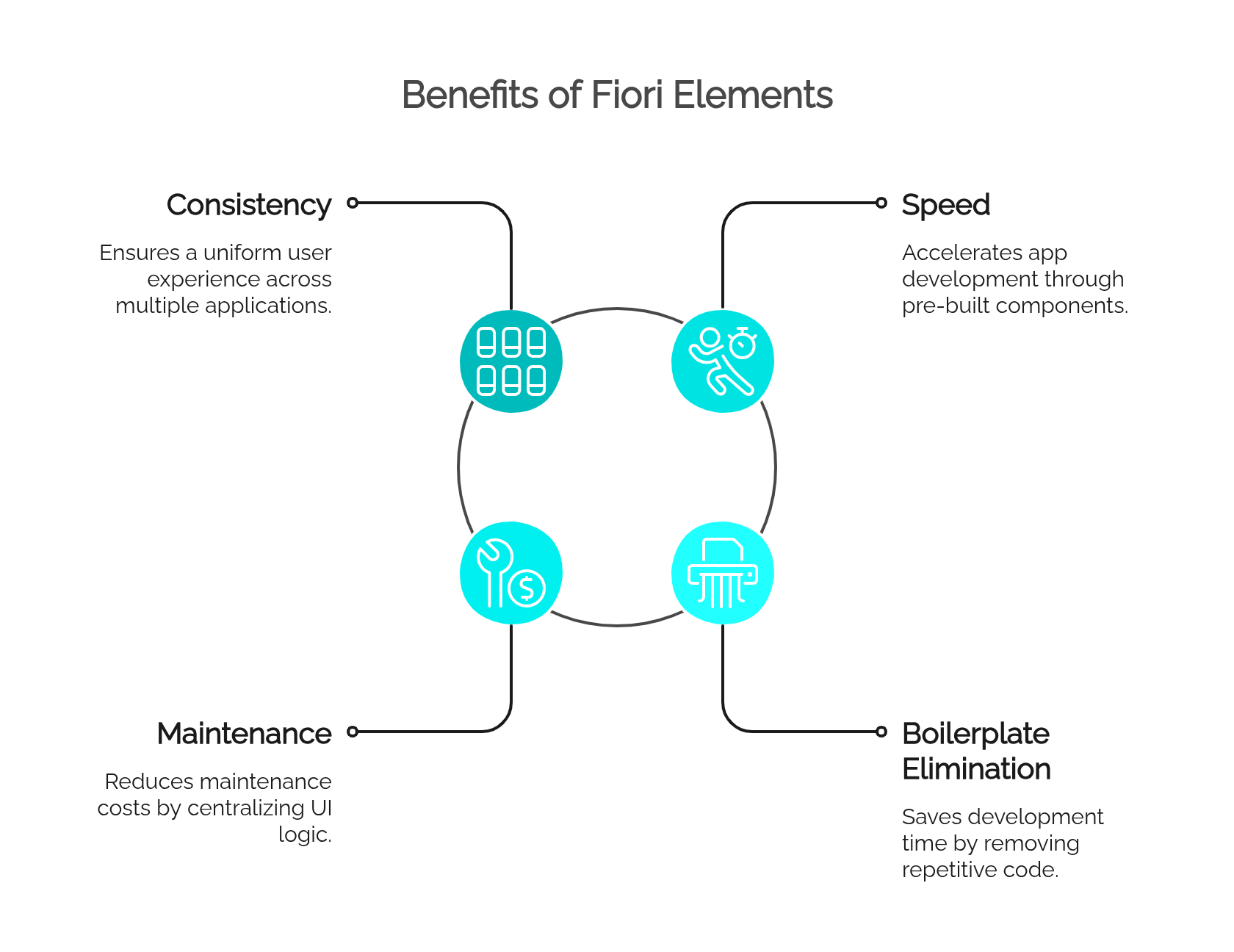
Notice what is not on that list: replacing developers. The goal was to stop paying skilled people to re-implement the same list page for the fortieth time — which is a goal most developers, honestly, share.
Where Fiori Elements Works Well
The framework delivers on its promise when the requirement matches a floorplan and standardization is a feature, not a constraint. Concretely:
- List Reports over business entities. "Show me all open purchase requisitions, filterable by plant and requester, navigable to detail." This is the canonical case, and Fiori Elements handles it better and faster than almost any hand-built alternative.
- Object Pages with standard edit flows. Header, sections, field groups, edit/save with draft support and validation messages — all configuration, no code.
- Straightforward CRUD applications. Master-data maintenance (cost centers, equipment categories, supplier records) where RAP or CAP provides the behavior and the UI is a thin, standard layer over it.
- Analytical List Pages — when the analysis fits the model. If the requirement is "chart of order volume by category, drill into the underlying orders," the ALP does it elegantly. The qualifier matters: it works when stakeholders accept standard chart types and interaction patterns.
- High-volume rollout scenarios. A program delivering forty internal apps benefits enormously from thirty-five of them being template-based: predictable effort, uniform UX, and a maintenance surface that doesn't grow with each app.
- Apps where consistency outranks distinctiveness. Tools used daily by trained back-office users, who care that the filter bar works exactly like every other filter bar — not that the app has personality.
A practical litmus test: if you can specify the app in one sentence of the form "a list of ⟨entity⟩ filtered by ⟨criteria⟩, opening into an editable detail page," choosing freestyle UI5 for it would be over-engineering.
Where Fiori Elements Does Not Replace Freestyle UI5
Every strength above comes from the same source — a fixed set of templates — and that source is also the hard ceiling. Outside the templates' assumptions, freestyle UI5 is not a legacy fallback; it is the correct tool.
- Custom user journeys. A guided multi-step configuration wizard, an onboarding flow, a screen sequence driven by user decisions — floorplans model list-and-detail, not journeys.
- Complex, interdependent screen logic. Fields that reshape the form as they change, sections that appear conditionally on combinations of values, live recalculation across the page. Annotations can express some field control, but past a modest threshold the logic no longer fits a declarative model.
- Non-standard interactions. Drag-and-drop scheduling boards, inline canvas editing, split-screen comparisons, real-time collabDoesorative updates.
- Advanced dashboards. A control-room screen mixing a live map, a Gantt chart, KPI tiles, and a custom alert stream is not an Overview Page, and pretending otherwise produces a worse dashboard slowly.
- Third-party libraries and custom visualizations. Embedding D3, a specialized mapping SDK, or a custom SVG rendering of a warehouse layout means owning the view layer — which is precisely what Fiori Elements takes away.
- Integration-heavy front ends. Orchestrating several services, mixing OData with REST or WebSocket sources, or managing intricate client-side state sits outside the framework's single-service worldview.
- Requirements that fit no floorplan. Sometimes the honest answer to "which template?" is "none." Forcing the closest match creates an app that fights its users.
And there is a specific trap worth naming, because experienced teams fall into it repeatedly: death by extension. A project starts as a clean Fiori Elements app. Requirements grow. A custom column here, a controller extension there, then a custom section, then a breakout that reimplements half the page. Eighteen months later the app is 70% workaround, harder to maintain than freestyle would have been, and pinned to template internals that may shift on upgrade. Recognizing — early — that a requirement trajectory is heading past the template's limits is one of the most valuable judgment calls a senior developer makes.
What UI5 Developers Still Do
Strip away the screens that Fiori Elements now generates, and the remaining job description is still long — arguably more interesting:
- Building freestyle UI5 applications for everything in the previous section.
- Extending Fiori Elements apps: custom columns and actions, controller extensions, custom Object Page sections — surgical additions that keep the template's benefits while covering the gap.
- Developing UI5 Integration Cards for SAP Build Work Zone and Overview Pages.
- Shaping Work Zone experiences — spaces, pages, and the composition of apps into something coherent for a role.
- Debugging generated applications. When a column silently fails to render, someone must trace whether the cause is a malformed annotation, a missing OData capability, a metadata cache, or a template quirk. This is genuinely harder than debugging code you wrote yourself, because the code you're reading is code you didn't write.
- Performance analysis — batching,
$select/$expanddiscipline, lazy loading, oversized responses. Metadata-driven apps produce slow queries just as enthusiastically as hand-coded ones. - OData and service troubleshooting, where the majority of "UI bugs" actually originate.
- Maintaining the installed base. Years of freestyle apps run in production today and will not be rewritten just because a template exists.
- Designing custom UX within the Fiori design language — bespoke without being alien.
- Integrating with RAP, CAP, BTP, and external APIs, wiring the front end to the right backend the right way.
- Choosing the approach. Template, template-plus-extensions, or freestyle — per app, with cost, UX, and maintenance consequences attached. No generator makes this call.
The through-line: the framework absorbed the typing. It did not absorb the engineering.
Fiori Elements vs Freestyle UI5: Practical Comparison
| Criterion | Fiori Elements | Freestyle UI5 |
|---|---|---|
| Best fit | Standardized list/detail, CRUD, standard analytics | Custom journeys, complex interaction, bespoke UX |
| Flexibility | Bounded by floorplans and extension points | Effectively unlimited |
| Development speed | Very high when the pattern fits; drops sharply when fighting the template | Lower upfront; stable as complexity grows |
| Maintainability | High — template logic is SAP's problem; upgrades bring improvements | Entirely a function of your team's discipline |
| UX control | Deliberately limited to the Fiori standard | Total |
| Required skills | CDS/OData annotations, floorplan catalog, RAP/CAP awareness, extension APIs | Deep SAPUI5: MVC, controls, data binding, JavaScript/TypeScript |
| Risk | Low inside the template's limits; escalates fast beyond them (extension sprawl) | Higher initial cost; UX inconsistency if ungoverned |
| Example | "Filterable list of maintenance orders with an editable detail page" | "Dispatcher board with drag-and-drop assignment over a live plant map" |
Read the table as a routing rule, not a ranking. The failure mode isn't picking the "wrong" technology in general — it's applying one column's tool to the other column's problem.
Does Fiori Elements Mean Less Front-End Work?
The honest answer has two halves, and both are true simultaneously.
In standardized scenarios: yes, dramatically. The classic List Report that once consumed a two-week freestyle sprint — filter bar, responsive table, variant management, navigation, draft handling — is now a day of modeling and annotation. Multiplied across a forty-app rollout, the savings are real and large. Anyone claiming otherwise is defending a billing model, not describing reality.
In complex business applications: no — the work relocates. The hours stop going into XML views and controllers and start going into:
- getting the CDS model and its associations right, because the UI is only as good as the metadata beneath it;
- authoring and debugging annotations, which is programming by another name — with its own error modes and its own expertise curve;
- designing the OData service's capabilities: drafts, actions, side effects, value helps;
- building extensions precisely where the template stops;
- and making the architecture call for each app in the portfolio.
The net effect is a shift in leverage, not a shrinkage of the field. Previously, a developer's output was measured in screens built. Now a small amount of well-placed metadata produces an entire application — which means the developer who understands the full chain (model → service → annotation → template → extension) produces far more than before, while the developer who only knew how to assemble controls finds their specific task automated. The demand didn't disappear. It moved up the stack.
How UI5 Developers Should Adapt
The profile the market rewards is the developer who operates across the stack and routes each requirement to the right tool. A realistic investment list, roughly in order of urgency:
- Fiori Elements itself — the floorplan catalog, the annotation vocabulary, and crucially the extension points and their limits. Knowing where the template ends is as important as knowing what it does.
- OData V4 (while maintaining V2 literacy) — drafts, actions, side effects, and the capability model that Fiori Elements V4 templates depend on.
- CDS annotations — in a metadata-driven world, this is the language you write most.
- RAP fundamentals — behavior definitions, draft handling, and how the ABAP stack feeds the template.
- CAP fundamentals — the same story on BTP, for greenfield and side-by-side extensions.
- Freestyle SAPUI5, kept sharp — it is the escape hatch for every hard case, and TypeScript is increasingly the expected dialect.
- SAP BTP basics — deployment, destinations, launchpad/Work Zone services, where cloud apps actually live.
- UI5 Web Components — the component model that outlives any single framework generation.
- Testing and debugging craft — wdi5/OPA5, plus the specific skill of diagnosing generated apps through browser tooling and annotation tracing.
- UX and business-process literacy — because "should this be standard or custom?" is a business question wearing a technical costume, and answering it well requires understanding what the user is actually trying to accomplish.
Depth in all ten is a multi-year project; that's fine. The immediate move is narrower: be fluent in Fiori Elements, stay capable in freestyle, and be able to read a CDS view without flinching. That combination alone puts a developer ahead of both the template-only clicker and the freestyle-only holdout.
Final Answer: Does Fiori Elements Replace UI5 Developers?
No — and the question itself contains a false assumption: that a UI5 developer's value was ever the typing.
Fiori Elements replaces a task: hand-coding standardized screens that were being rebuilt, slightly differently, hundreds of times across the SAP ecosystem. That task deserved to be automated, and developers benefit from its automation the same way they benefited from not writing raw XHR calls after data binding arrived.
What remains — and grows — is everything the template cannot decide: whether a requirement fits a floorplan, how to model the service so the annotations stay clean, where to extend and where to walk away, why the generated table is slow, how the front end talks to RAP, CAP, and the rest of BTP, and what the user actually needs the screen to do. The developers under real pressure are those whose skill set was exactly coextensive with the automated task. The developers in demand are those who can look at a backlog of twenty apps and correctly say: these fourteen are Fiori Elements, these three need extensions, and these three must be freestyle — and then build all twenty.
Fiori Elements didn't replace UI5 developers. It replaced the least interesting part of their job and raised the value of the rest.
FAQ
Does Fiori Elements replace SAPUI5?
No. Fiori Elements is built on SAPUI5 — its floorplans are SAPUI5 applications generated from metadata. It reduces hand-written UI5 code for standard patterns, but SAPUI5 remains the underlying framework and the required tool whenever requirements exceed the templates.
Is freestyle UI5 still relevant?
Yes. Freestyle UI5 is the correct choice for custom user journeys, complex screen logic, third-party libraries, custom visualizations, and any app that fits no floorplan — plus it powers the large installed base of existing applications that will run in production for years.
Is Fiori Elements only for simple apps?
No — it is for standardized apps, which can be large and business-critical. The limitation is not size or importance but shape: the app must fit a supported floorplan. Highly interactive, unconventional, or integration-heavy apps fall outside that shape regardless of how simple they are.
Should UI5 developers learn RAP or CAP?
Yes, at least to working-knowledge level. Fiori Elements apps are fed by RAP (on S/4HANA/ABAP) or CAP (on SAP BTP), and the annotations that define the UI increasingly live in those models. A UI5 developer who cannot read the backend model can no longer fully debug their own front end.
What is the main difference between Fiori Elements and freestyle UI5?
Fiori Elements is declarative: you describe the app through OData metadata and annotations, and a standard template renders it. Freestyle UI5 is imperative: you build views and controllers yourself with full control. The trade is development speed and guaranteed consistency against flexibility and UX freedom.
Can Fiori Elements handle custom requirements?
Partially, through defined extension points — custom columns, custom actions, controller extensions, custom sections. Light customization works well. Heavy customization accumulates into extension sprawl that is harder to maintain than freestyle code, at which point switching approaches is the sounder engineering decision.
Is UI5 still a good skill for SAP developers?
Yes — arguably more strategic than before. UI5 underlies Fiori Elements itself, every extension is UI5 code, and freestyle remains mandatory for the hard cases. The strongest market profile combines UI5 fundamentals with Fiori Elements fluency, OData depth, and RAP/CAP awareness.