What Are SAP Fiori Apps? Types, Examples, and Use Cases

SAP Fiori apps are role-based applications that give SAP users a more modern way to complete tasks, analyze data, and work with business information.
In real environments, though, the term "Fiori app" causes a lot of confusion. A user clicks a tile in the Fiori Launchpad and sometimes gets a native Fiori app, sometimes an older SAP GUI transaction running through Web GUI. Some apps handle transactions, others handle analytics, and others let people explore business objects like customers, suppliers, materials, purchase orders, or invoices.
So understanding Fiori apps takes more than memorizing categories. You need to know what each type is meant to do, where it performs well, and when it falls short of a real business process.
An app can support a single task beautifully and still leave most of the process uncovered — the approvals, exceptions, handoffs, deadlines, missing data, integrations, and the responsibilities split across roles.
This article walks through the main types of Fiori apps, typical examples, practical use cases, and how to judge whether a standard app is good enough for your team.
What Is a SAP Fiori App?
A SAP Fiori app follows SAP's Fiori design principles and is normally accessed through the Fiori Launchpad. It gives users a task-oriented way to work with SAP data, business objects, reports, approvals, or requests. Rather than asking someone to recall a transaction code and find their way around a crowded screen, a Fiori app is built around a specific role or need.
Common examples are apps that create a purchase requisition, approve a workflow item, review open invoices, monitor procurement KPIs, check sales order status, manage leave requests, or display supplier information.
That task orientation is the main thing separating Fiori from traditional SAP GUI use. SAP GUI hands expert users dense transactions packed with options, fields, menus, and variants. Fiori narrows things down to a single activity, which helps occasional users, managers, mobile workers, and self-service scenarios in particular.
The focus is genuinely valuable, but it also means you should always check an app against the real work it's supposed to support. A Fiori app may look cleaner than an old transaction, yet the thing that matters is whether it gives the user enough information, actions, filters, and context to finish the job correctly.
A Tile Is Not Always a Native Fiori App
A widespread assumption is that every Launchpad tile opens a native Fiori app. It doesn't.
A tile is just an entry point. What loads when you click it depends entirely on how the Launchpad is configured — it might be a native Fiori app, a Fiori elements app, a custom SAPUI5 application, an analytical page, a classic SAP GUI transaction rendered through Web GUI, or some other URL-based application.
The distinction matters because people will say "we're using Fiori" when half their tiles actually launch old transactions in a browser. That can be a perfectly reasonable transition strategy — it centralizes access in the Launchpad without forcing a redesign of every transaction at once — but nobody should mistake it for a complete Fiori-native experience.
For adoption and planning, it pays to be precise about what each tile really opens: a native Fiori app, a custom SAPUI5 app, a Fiori elements app, or a classic transaction exposed through Web GUI. And beyond the label, ask whether the app improves the task or merely changes where the user clicks to start it.
A Launchpad crammed with tiles is not automatically a modern experience. The value comes from what each tile opens and how well it fits the role and the process behind the task.
Main Types of SAP Fiori Apps
You can group Fiori apps in several ways. A common business-oriented split is transactional apps, analytical apps, and fact sheets. In modern projects you'll also run into patterns like overview pages, list reports, object pages, and analytical list pages. These terms overlap, but they describe slightly different things — some name the purpose of an app, others name the interface pattern used to build it.
In practical terms:
- Transactional apps help users get something done.
- Analytical apps help them understand performance, trends, and exceptions.
- Fact sheets let them explore a business object.
- Overview pages summarize what matters for a role or area.
- List reports help users find and work through many records.
- Object pages let users view or maintain one specific record.
The rest of the article takes each of these in turn.
Transactional Apps
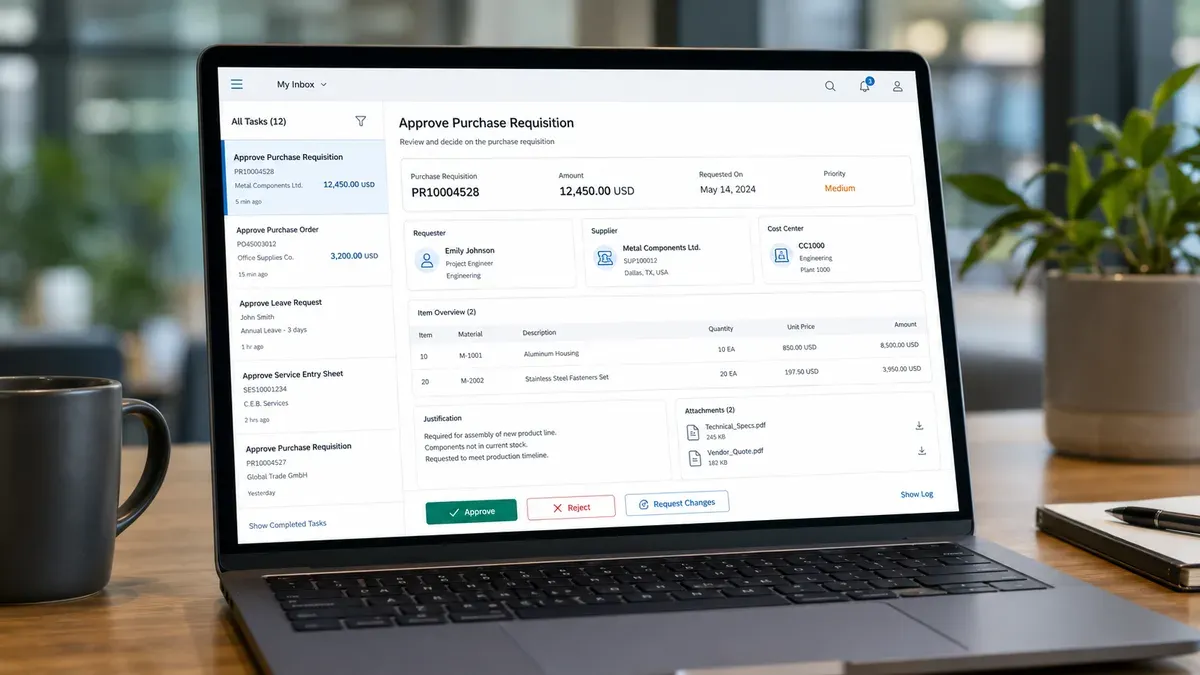
Transactional apps are where business tasks get done in SAP — creating, changing, approving, submitting, releasing, rejecting, or posting business data. These tend to sit closest to daily operational work.
Typical examples: creating a purchase requisition, approving a purchase order, posting a goods receipt, managing leave requests, releasing a billing document, or processing a service request.
They shine when the task is clear and role-specific and doesn't force the user through a sprawling transaction full of unrelated options. A manager who only needs to approve purchase requests, for instance, doesn't need the depth of a full purchasing transaction. A focused approval app can surface the requester, amount, supplier, cost center, justification, attachments, and the approval action — nothing more.
This is Fiori at its best: guided, task-specific work for a defined role.
It still deserves a careful look, though. A simplified app might be ideal for occasional users and managers and useless for power users who churn through high volumes and live on advanced filters, variants, mass changes, and dense tables. The real question isn't whether a transactional app exists — it's whether it matches how the team actually works.
Analytical Apps
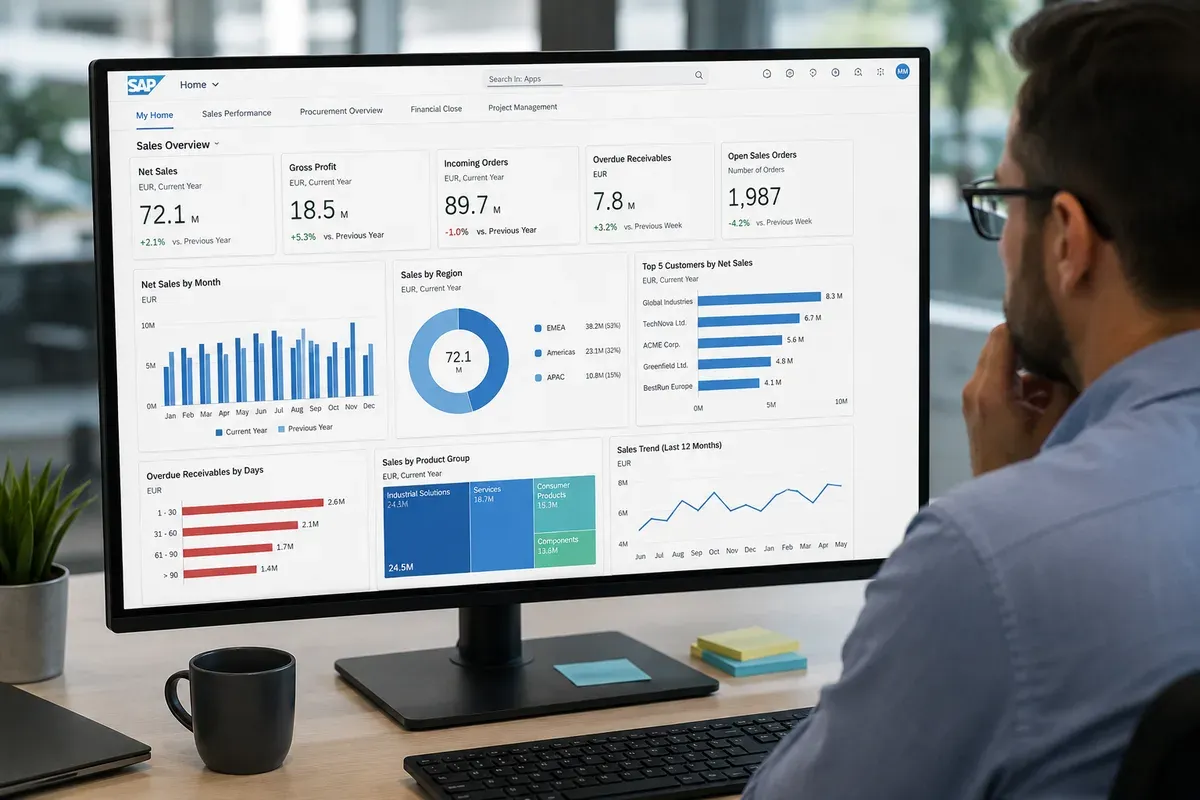
Analytical apps help users watch performance, spot exceptions, and figure out what needs attention. Instead of pushing a single transaction through, they arrange data into KPIs, charts, tables, and visual summaries. Managers, analysts, controllers, and operational leads who need visibility across a process lean on them heavily.
Examples include monitoring overdue invoices, procurement spend, supplier performance, inventory levels, sales performance, cash position, or service backlog.
A solid analytical app helps answer questions like which items are delayed, which KPI has drifted out of range, which suppliers or plants or teams need attention, and what to investigate first.
The best ones don't stop at visualization — they carry the user from insight into action. A manager might start at a KPI card, spot a problem area, open the list of affected items, and jump straight to the relevant object or task. That's what makes analytical apps so useful for management by exception: you skip the manual review of every transaction and concentrate on the cases that deviate.
All of this rests on data quality, service performance, authorization design, and KPIs that actually mean something. Attractive charts won't save metrics that don't reflect how the business runs.
Fact Sheets

Fact sheets let users explore a specific business object — a customer, supplier, material, purchase order, sales order, invoice, employee, cost center, or asset. Rather than centering on one transaction or one KPI, a fact sheet lays out the object and everything connected to it.
A supplier fact sheet might show the supplier's details alongside related purchase orders, open invoices, contacts, payment information, and links to other apps.
That matters because enterprise work is rarely isolated. A purchase order ties back to a supplier, a material, a contract, an invoice, a delivery, an approval, and a cost center. A fact sheet exposes those relationships so users aren't jumping blindly between disconnected screens. They're particularly handy when someone needs context before acting — an approver or analyst understanding an object's history and related documents before deciding what comes next.
Just don't mistake a fact sheet for full process visibility. It can show rich detail about an object while the surrounding process — the rules, responsibilities, deadlines, exceptions, and handoffs — stays off the page.
Overview Pages
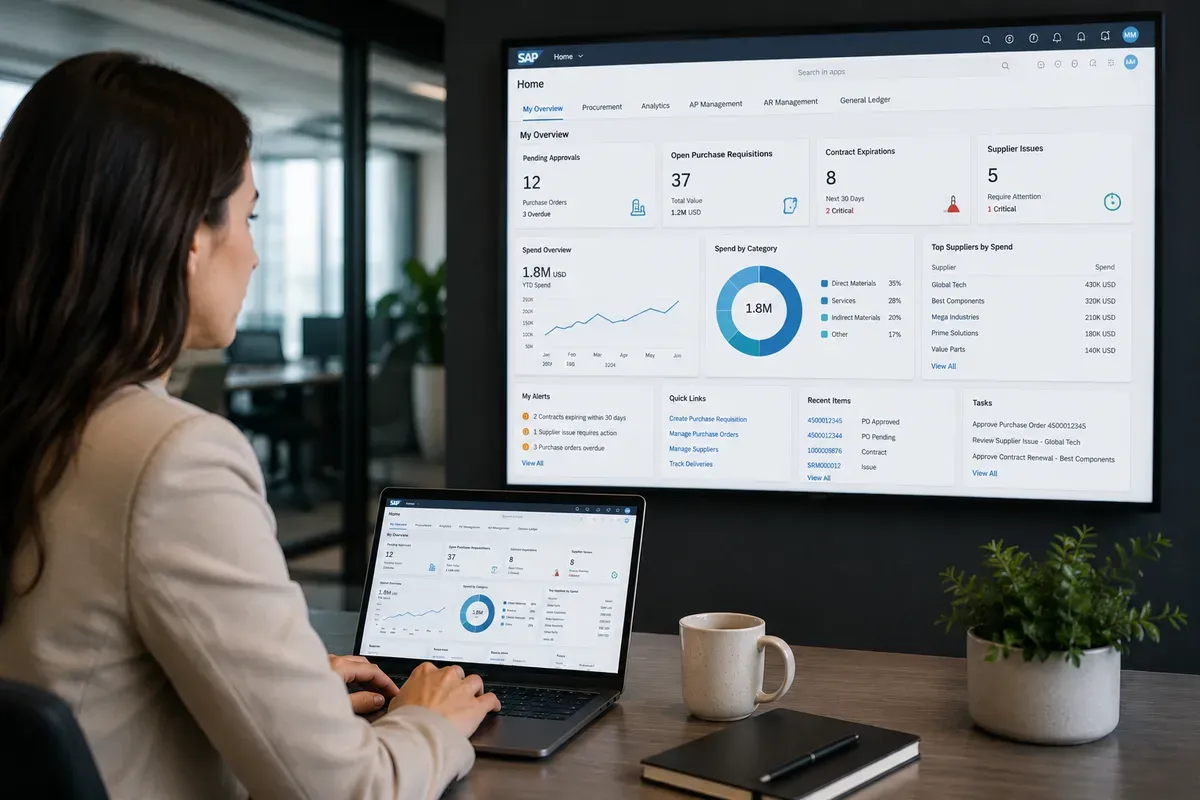
Overview pages give a role-based summary of information, priorities, and actions. Instead of opening a handful of separate apps and reports, the user sees cards that pull together what matters for their role: KPIs, lists, charts, alerts, quick links, pending tasks.
A procurement manager might want pending approvals, supplier issues, open requisitions, contract expirations, and spend indicators on one screen. A finance manager might want overdue invoices, blocked documents, cash indicators, and exception queues.
How well it works comes down to role design. Show too much and it turns into noise; show too little and people drift back to other reports, spreadsheets, or SAP GUI. A good overview page answers one question — what does this user need to know or act on first? — and it earns that by being built around real responsibilities rather than around whatever cards happen to be available.
List Reports and Object Pages
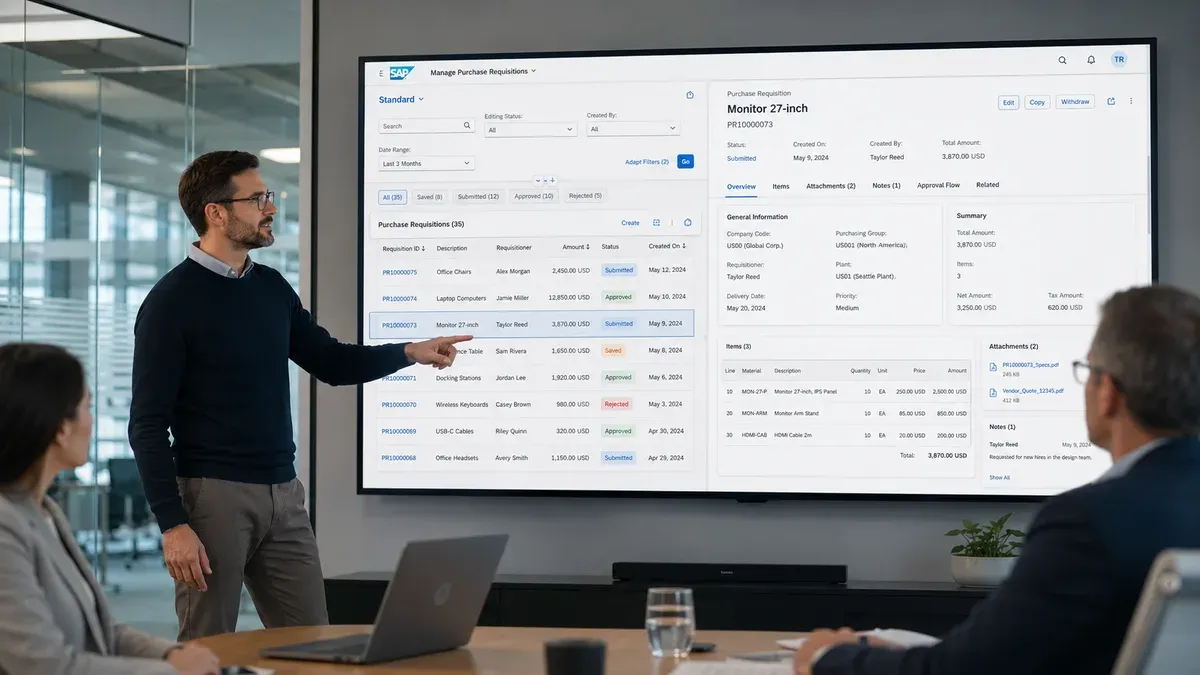
List reports and object pages are the workhorse patterns for handling business records.
A list report lets users search, filter, sort, and review many records at once — useful when they need to locate the right item before acting, whether that's open purchase requisitions, blocked invoices, sales orders, maintenance notifications, or customer records. An object page handles a single record in depth, gathering its sections, fields, related information, attachments, notes, status, and available actions in one place.
The two usually work as a pair: the user starts from a list, narrows it with filters, picks an item, opens the object page, reviews the details, and acts if they're authorized. That rhythm — find the object, understand it, act on it — is why the pattern is so common.
It fits well when the business object is well defined and the user's journey is fairly predictable. It fits less well when the work needs heavy guidance, unusual interaction logic, several roles, or complex cross-department handoffs. In those cases the app supports the object without supporting the full process around it.
Native Fiori Apps vs HTML GUI / Web GUI
A native Fiori app is designed to Fiori principles — role-based, task-focused, responsive, and at home in the Launchpad.
HTML GUI, usually called Web GUI, is a different animal. It runs classic SAP GUI transactions inside a browser. The user may reach the transaction from a Launchpad tile, but the experience underneath is still the older GUI transaction model.
That difference shapes both user expectations and project planning. A native Fiori app gives a cleaner, more guided experience that suits occasional users, managers, approvers, and mobile workers. A Web GUI transaction keeps the depth, density, and familiarity that expert users count on.
The two coexist comfortably. A company can run native Fiori for approvals, analytics, self-service, and mobile while still exposing classic transactions for expert work or for areas where no decent Fiori app exists.
Trouble starts when every tile gets called a "Fiori app." Users expect something modern and instead get an old transaction in a browser. A more honest inventory — native Fiori app, Fiori elements app, custom SAPUI5 app, analytical app, classic transaction through Web GUI, external or URL-based application — makes training, support, adoption, and modernization roadmaps far easier to plan.
What Is the SAP Fiori Apps Reference Library?
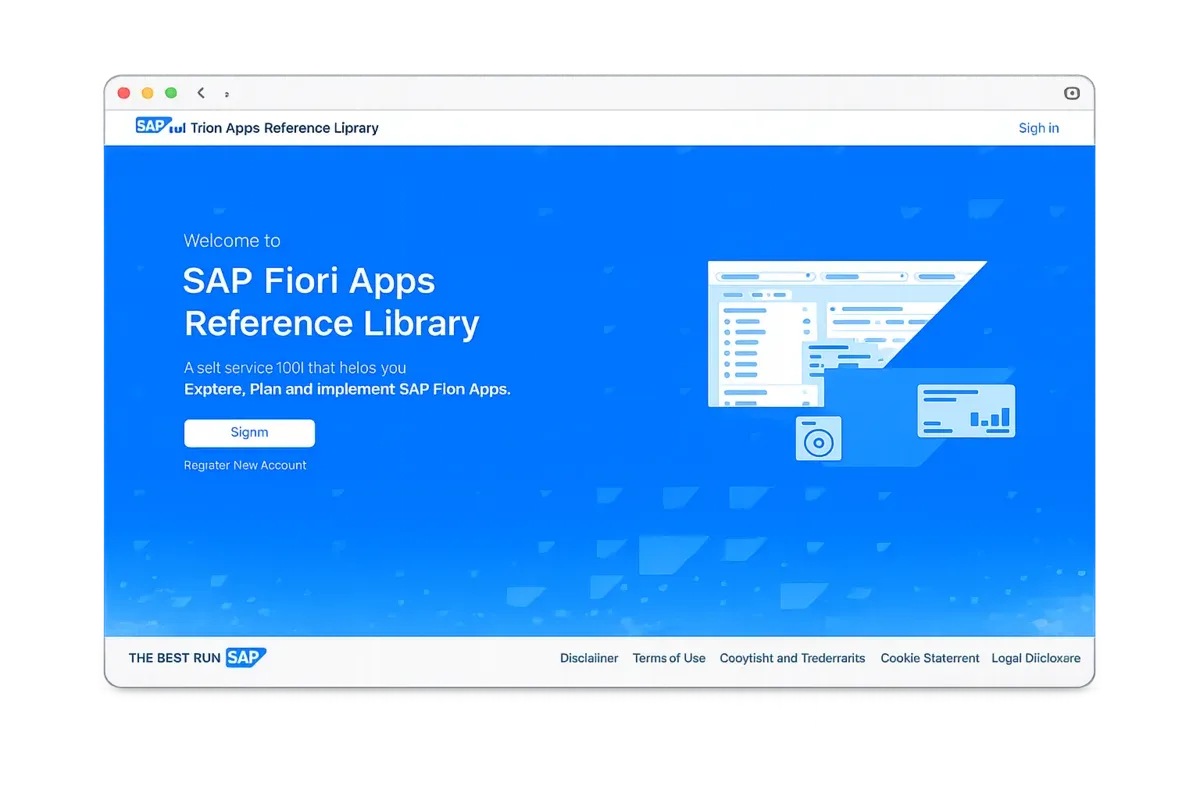
The SAP Fiori Apps Reference Library is SAP's official catalog for exploring available Fiori apps and related Launchpad content. Teams use it to search for apps, learn what they do, and review technical and implementation details. On most projects it's the first stop when someone wants to know whether a standard app already exists for a given need.
You can research available apps, business roles, application components, required products and versions, implementation details, related apps, and configuration information.
The library is genuinely useful, but it isn't a substitute for business validation. Finding an app there doesn't mean it fits your users — it means the app is a candidate worth evaluating. Before adopting anything standard, you still have to confirm it supports the required process, role, data, volume, custom fields, authorizations, performance expectations, and exception scenarios.
The library answers the first question — does a standard app exist? The business still has to answer the second: is it good enough for the way our team actually works?
How to Tell Whether a Standard App Is Good Enough
Judge a standard Fiori app against real work, not against its name, description, or visual polish.
Start with the task. "Procurement" is too broad to mean anything; "approve a purchase requisition" or "review supplier performance" is specific enough to evaluate. Remember that an app can nail one task and still ignore the process wrapped around it.
Then ask who it's for. A manager, a requester, an analyst, a shared-services agent, a field worker, and a power user all walk in with different expectations. Some want guidance and simplicity; others want speed, advanced filters, mass actions, variants, and information density.
Next, compare it against the functional scope you actually need — required and custom fields, attachments, notes, approvals, related documents, exception handling, authorization rules, reporting, and local compliance. This is where adoption quietly dies. An app can look cleaner than the old transaction and still get rejected the moment users find essential functionality missing.
Look at the process too, because an app is not a business process. The process covers who starts the work, what data it needs, who reviews it, what happens on rejection, which deadlines apply, and how exceptions get handled.
Finally, check performance, training, and documentation. A slow, confusing, or poorly explained app won't get adopted no matter how good it looks. People need to know not just which tile to open but when to use the app, what process step it covers, and what happens after they act.
A worthwhile standard app isn't one that merely appears in the catalog. It's one that fits the role, task, process, data, and work context closely enough to survive contact with daily use.
Final Thoughts
Fiori apps can genuinely improve how people reach tasks, information, analytics, and business objects in SAP — more focused, more role-based, easier to get to through the Launchpad. But it all comes down to fit.
A transactional app earns its place when it carries the task with enough depth. An analytical app earns it when it surfaces real performance issues and exceptions. A fact sheet earns it when it gives meaningful context. An overview page earns it when it reflects a role's actual priorities. List reports and object pages earn it when people can find, understand, and act on records without friction.
The lesson worth keeping: choosing Fiori apps is not a technical catalog exercise. A good evaluation begins with the business process, the role, the data, the exceptions, the performance expectations, and the work context. Fiori apps succeed when the app, the role, the task, and the process line up.
FAQ
Are SAP Fiori apps the same as SAP GUI transactions?
No. SAP Fiori apps are usually designed around specific roles, tasks, and user experiences, while SAP GUI transactions often provide broader and denser screens for expert users. However, some SAP GUI transactions can be accessed from the SAP Fiori Launchpad through Web GUI, which means a Launchpad tile does not always represent a native Fiori app.
Can a SAP Fiori tile open a classic SAP GUI transaction?
Yes. A tile in the SAP Fiori Launchpad can open different types of content, including native Fiori apps, custom SAPUI5 apps, analytical pages, external URLs, or classic SAP GUI transactions rendered through Web GUI. This is why teams should inventory what each tile actually opens before calling everything a Fiori app.
What is the difference between transactional and analytical SAP Fiori apps?
Transactional SAP Fiori apps help users complete business tasks, such as creating, approving, posting, or changing records. Analytical apps help users monitor performance, review KPIs, identify exceptions, and understand trends. In simple terms, transactional apps support action, while analytical apps support visibility and decision-making.
Are standard SAP Fiori apps enough for every business process?
Not always. A standard SAP Fiori app may support a specific task very well, but the broader process may involve approvals, exceptions, deadlines, custom fields, integrations, handoffs, and local business rules. Teams should validate each app against the real process before deciding that it is enough.
Why do some users still prefer SAP GUI over SAP Fiori?
Some expert users prefer SAP GUI because it can be faster for dense, repetitive, high-volume work. They may rely on familiar transaction codes, layouts, variants, advanced filters, mass actions, and compact tables. SAP Fiori may be better for guided, role-based, mobile, analytical, and self-service scenarios, but it is not automatically better for every user or task.
How do I know if a SAP Fiori app is useful for my team?
Start by checking whether the app supports the specific task, role, data, and process your team needs. Then validate functional coverage, custom fields, authorizations, performance, usability, training needs, and exception scenarios. A useful Fiori app is not just one that exists in the catalog; it must fit the way users actually work.
What is the SAP Fiori Apps Reference Library used for?
The SAP Fiori Apps Reference Library is used to search and evaluate available SAP Fiori apps and related Launchpad content. It helps teams understand app purpose, business roles, required SAP products, implementation details, and technical information. It is a starting point for evaluation, not a substitute for business process validation.
What is the difference between a SAP Fiori app and a business process?
A SAP Fiori app supports a task, screen, object, report, or user interaction. A business process includes the full flow of work across roles, decisions, data, approvals, exceptions, deadlines, systems, and responsibilities. A Fiori app can improve one part of a process, but it does not automatically define or govern the entire process.