Business Analysis Before Process Automation

Process automation usually starts with a simple request:
We need to automate this workflow.
Behind it, there is almost always a bigger question:
What business problem are we trying to solve?
When automation comes before the need is clear, the result tends to be a bad process running faster — and costing more to maintain. Tasks start moving on their own, but the original problem is still standing: nobody knows who owns it, the requirements are incomplete, the rules vary, the exceptions have no handling, and there is no agreement on what success would look like.
Business analysis exists to prevent this. Before automating, the team needs to understand the need, who is involved, how the process works today, which rules govern it, and what it should improve. Only then does automation become a tool for improvement, rather than a digital version of the confusion that was already there.
Why automation projects fail when analysis is weak
Automation projects rarely fail because of technology. They fail because the process was not understood deeply enough before implementation.
One team automates a workflow whose approval rules are still undefined. Another digitizes a form without knowing which data actually supports the decision. A third builds the workflow around the happy path and ignores the exceptions that show up every week.
The symptoms are predictable. The automated workflow doesn't match the real way of working, so users end up routing around the system because the exceptions aren't supported. Approvals stall for lack of an owner. Reports aren't trustworthy because the data was never properly defined. And any change becomes a problem, since everything was built on assumptions rather than validated requirements.
In most of these cases, the team doesn't have an automation problem. It has an analysis problem. Before asking "how do we automate this?", it's worth asking why the process exists, who it serves, how it works today, and what outcome needs to improve.
What business analysis needs to clarify before automation
Analysis gives the project a foundation. It helps the team move from a vague request to a structured understanding of what the organization needs. Before automating, a few things need to be clear.
The business need: what problem, risk, opportunity, or performance gap is driving the initiative?
The stakeholders: who requests, performs, approves, receives, or is affected by the process?
The current flow: what happens from start to finish, including handoffs, decisions, waiting points, and rework?
The rules: which policies, thresholds, conditions, validations, deadlines, and approval criteria control the process?
The exceptions: what happens when information is missing, the approver is unavailable, a request is rejected, or a deadline slips?
The data: what is collected, where it comes from, how it's validated, where it goes, and how it supports decisions?
The expected outcomes: what should improve after automation? It might be cycle time, cost, quality, compliance, visibility, customer experience, or productivity.
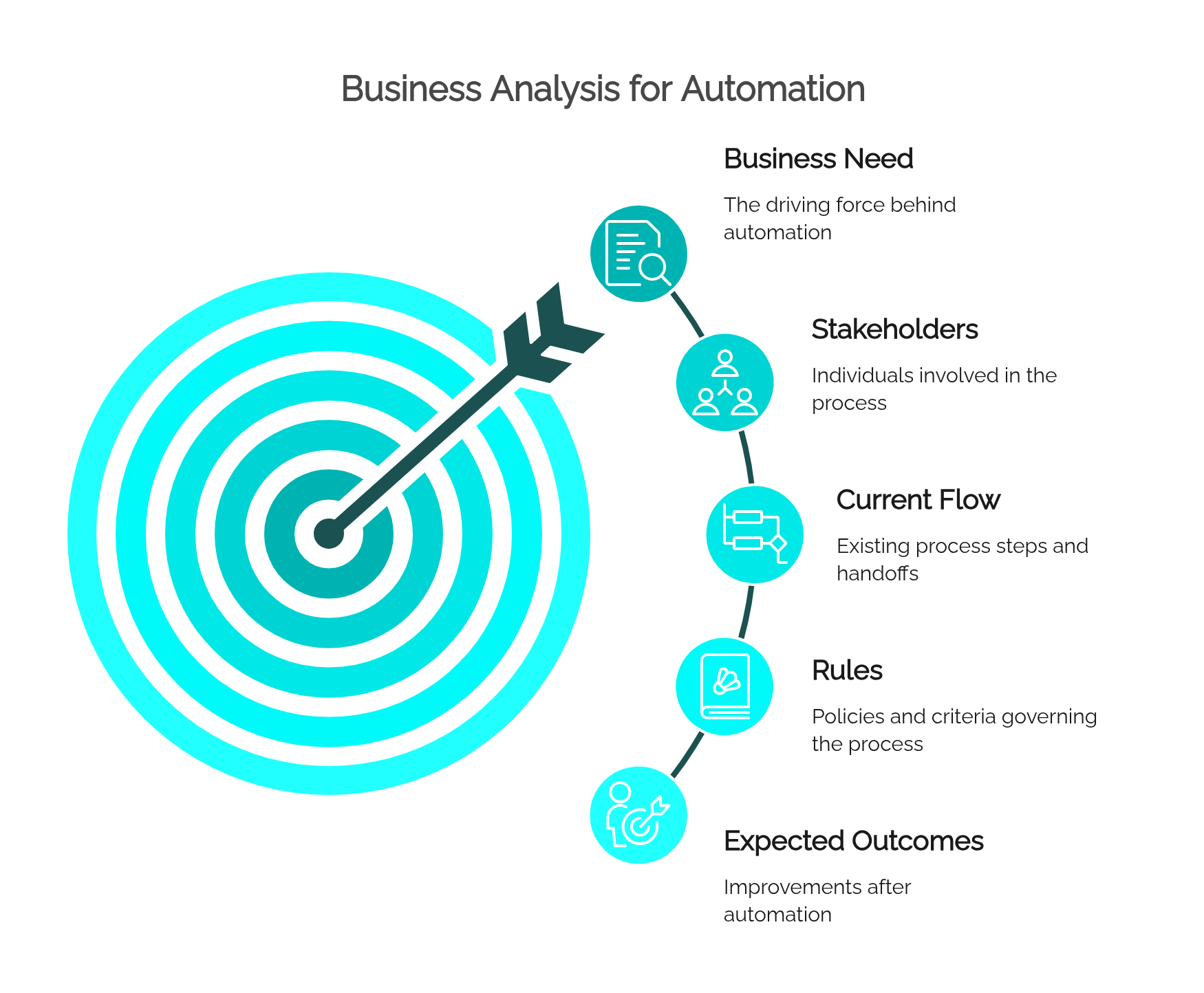
This lines up with process analysis practices in BPM, where the team works to understand the context, the inputs and outputs, the roles, the handoffs, the business rules, and the improvement opportunities before touching the process.
Business need vs. automation request
An automation request isn't always the same thing as a business need.
The request says: "automate purchase approvals."
The need says: "reduce delays in purchase approval, improve budget control, and provide audit-ready traceability."
The difference matters. Whoever focuses only on the request builds a workflow that pushes the request from one person to the next. Whoever understands the need designs something better: approval levels by amount, budget validation, substitute approvers, deadline alerts, escalation rules, and audit history.
A useful question for the analyst is: "what would still need to improve even if this process were automated tomorrow?" The answer shows whether automation is hitting the right problem or just digitizing the current way of working.
Stakeholders and process ownership
Processes cross departments, and automation can't be designed from the point of view of a single area.
A single process can involve requesters, analysts, approvers, support areas like finance and legal, plus IT, suppliers, customers, and auditors. Each one sees a different part of the problem: the requester wants a fast response, the manager wants visibility, the compliance area wants evidence, operations wants fewer interruptions, and IT wants integration and security standards.
Analysis brings these views together. And before automating, it has to answer a few governance questions: who owns the process and its rules? Who approves changes? Who is accountable for performance? Who needs visibility into execution? Who has to be consulted before automation goes live?
Without a clear owner, automation becomes hard to govern. Nobody knows who can change the workflow, who approves an exception, or who answers for it when results don't improve.
Requirements, rules, and exceptions
Automation depends on requirements — and not just functional ones.
An automation initiative needs business requirements (what outcome it's after), process requirements (which steps, decisions, roles, and responsibilities exist), data requirements (fields, documents, validations, integrations), and governance requirements (who can change the process, approve versions, access data, or monitor execution). It also needs business rules, which define routing, approvals, deadlines, eligibility, and rejection, and exception requirements, which say what to do when the standard path doesn't apply.
Many problems show up because rules and exceptions get treated as details. They aren't. That's usually where the real process lives.
An expense reimbursement, for example, looks simple: the employee submits, the manager approves, finance pays. But the real process tends to carry rules like these:
- Requests above a threshold need director approval.
- Missing receipts go back to the requester.
- International expenses need currency conversion.
- Late expenses need a justification.
- Rejected requests notify the employee with a reason.
- Urgent reimbursements follow their own approval path.
If these rules aren't analyzed up front, they come back later as workarounds, support tickets, manual corrections, and user frustration.
Process understanding: as-is and to-be
Automation shouldn't start from the target process. First, you have to understand how the work happens today.
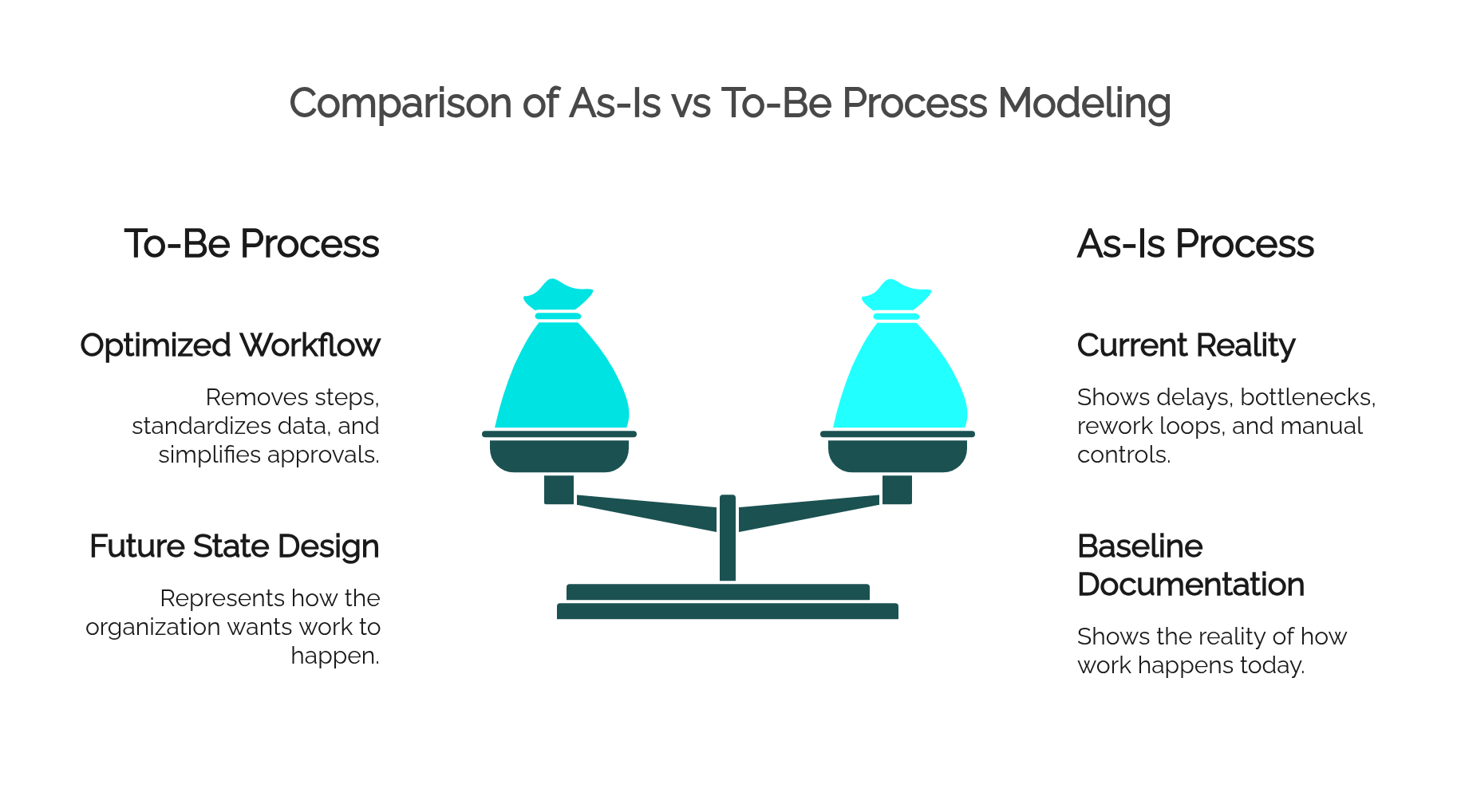
The as-is model shows the reality: delays, informal decisions, duplicate data entry, unnecessary approvals, fuzzy responsibilities, bottlenecks, rework loops, and manual controls.
But the as-is shouldn't automatically become the automation blueprint. The common mistake is to map the current process and automate it without redesign — which only preserves the same inefficiencies inside a new tool.
The better path is to understand the as-is, identify problems and root causes, clarify the business need, design the to-be, validate it with stakeholders, and only then configure the automation.
The to-be represents how the organization wants the work to happen after improvement. It can remove steps, make ownership clear, standardize data, simplify approvals, add deadline controls, and define exception paths. Automation executes that improved process, not a replica of the old one.
How BPMN supports automation readiness
BPMN puts business and technical teams in front of the process in a shared language.
For automation readiness, it helps because it represents what matters: tasks and responsibilities, events that start or interrupt the flow, gateways and decision logic, parallel work, approval cycles, alternative paths, deadlines with escalation, and the message exchanges between systems.
That makes BPMN more than a diagramming notation. Used well, it becomes the bridge between analysis and automation, helping stakeholders answer practical questions before automating: what triggers the process? Who performs each task? Which decisions change the path? What happens when a request is rejected? Where does the process wait? Where do integrations come in? What data has to be captured at each stage?
In HEFLO, the team uses BPMN to model the process, document rules and responsibilities, and — once it's ready — move on to execution and monitoring. BPMN isn't only there to describe the work; it's there to prepare it for controlled execution.
Want to learn BPMN properly? Watch a free class from our BPMN course and see how to model processes that are ready for execution.
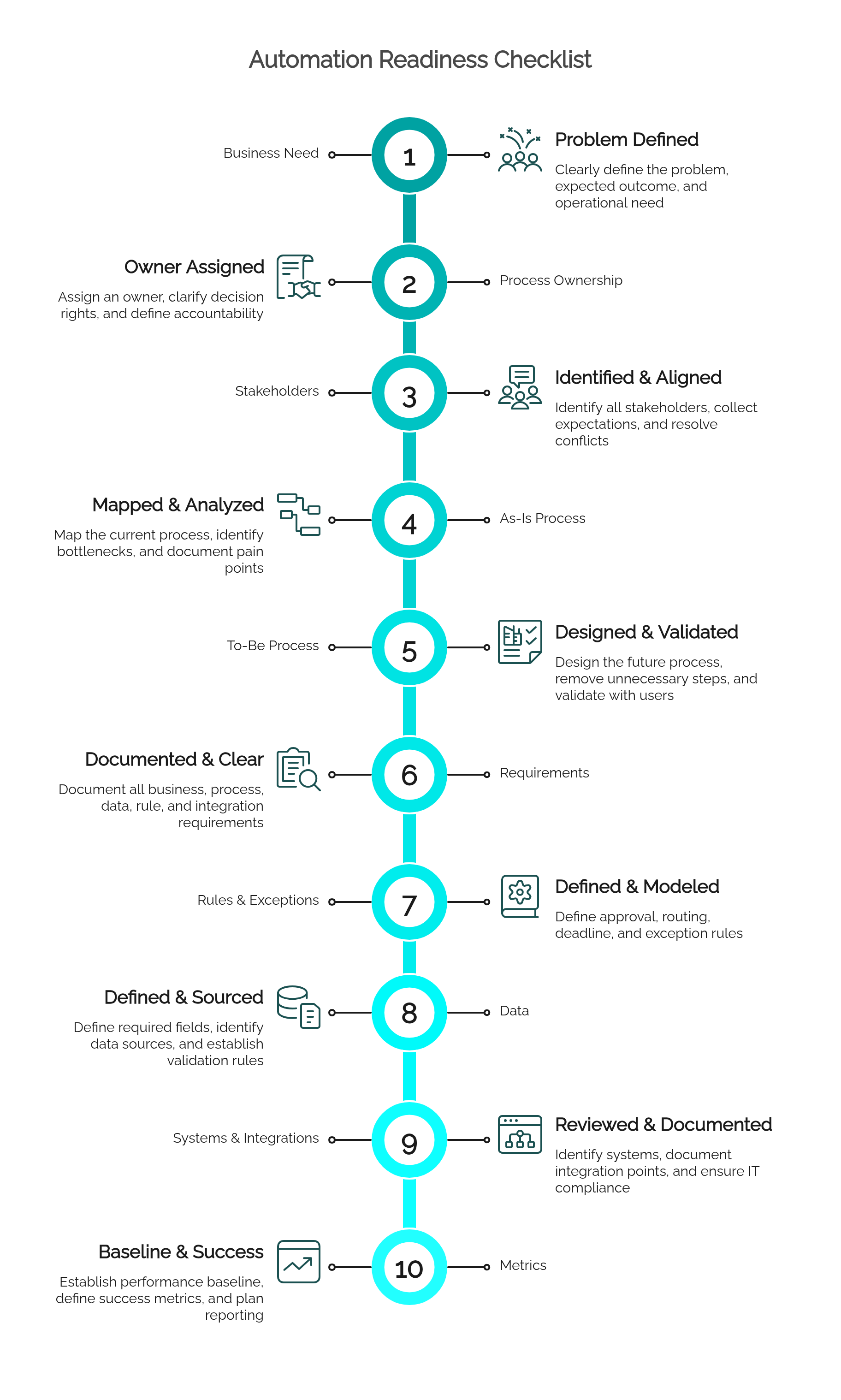
Automation readiness checklist
Before automating, use the checklist below to verify whether the process is ready. A missing item doesn't doom the project, but it should be treated as a risk, not ignored.
1. Business need
- The problem is clearly defined.
- The expected outcome is measurable.
- The automation request is tied to a real operational need.
- Stakeholders agree on why the process should change.
2. Process ownership
- There is an assigned owner.
- Decision rights are clear.
- Accountability for performance is defined.
- Governance for future changes is understood.
3. Stakeholders
- Requesters, performers, approvers, managers, IT, compliance, and affected areas have been identified.
- Expectations have been collected.
- Conflicting needs have been discussed.
- The people who run the process validated the model.
4. As-is process
- The current process has been mapped.
- Manual work, rework, delays, and bottlenecks are visible.
- Informal workarounds have been identified.
- Current pain points have evidence, not assumptions.
5. To-be process
- The future process has been designed.
- Unnecessary steps have been removed or simplified.
- Responsibilities at each stage are clear.
- The process was validated before automation.
6. Requirements
- Business, process, data, rule, exception, integration, and governance requirements are documented.
- They are clear enough to configure and test.
- The team knows what to automate now and what can stay manual.
- The scope is realistic.
7. Rules and exceptions
- Approval rules are defined.
- Routing conditions are documented.
- Deadline rules are clear.
- Exception paths are modeled.
- Rejected, incomplete, urgent, or late cases are handled.
8. Data
- Required fields are defined.
- Data sources are known.
- Validation rules are clear.
- Required documents have been identified.
- Reporting needs were considered before execution.
9. Systems and integrations
- The systems involved are identified.
- Integration points are documented.
- IT has reviewed architecture, security, identity, and technical standards.
- Manual and automated interactions are clearly separated.
10. Metrics
- The performance baseline is known or will be collected.
- Success metrics are defined.
- Dashboards and reports are planned.
- The process owner knows how success will be evaluated.
What to check before automating
Beyond the checklist, it's worth asking a few strategic questions before moving ahead.
Is the process stable enough? If it changes every week because the business model, the policy, or the responsibility structure still isn't clear, automation tends to create more rework than value.
Is it frequent enough to justify automation? A rare process may not be worth it, unless it carries high risk, high cost, or a strong compliance requirement.
Is it rule-based enough to structure? Processes with well-defined decision criteria, deadlines, and handoffs are stronger candidates.
Does it need visibility? If managers, requesters, customers, or auditors need to know status, history, or performance, automation delivers value beyond just routing tasks.
Does automation reduce friction or add complexity? The workflow should make execution clearer, not force the user through unnecessary steps.
Can the organization maintain the process after go-live? Automation doesn't end at launch. Rules, forms, and metrics evolve, and the process owner needs a way to improve things without turning every adjustment into a technical project.
Metrics to evaluate automation success
Success has to be measured against the business need, not just system usage. The most useful metrics tend to be:
- Cycle time: how long the process takes from start to finish.
- Task time: how long each activity lasts.
- Waiting time: where the process sits idle.
- Rework rate: how often work returns to an earlier step.
- Exception rate: how often the process leaves the standard path.
- SLA compliance: how often deadlines are met.
- Approval time: how long approvals take and where they stall.
- First-time-right rate: how often a request is completed without correction.
- Cost per transaction: the operational cost of running the process.
- User satisfaction: whether requesters and performers feel less friction.
- Compliance and auditability: whether you can prove who did what, when, and under which rule.
- Visibility: whether managers can see status, bottlenecks, and risks without asking for a manual update.
The main point is to define the metrics before automating. Without a baseline and a success criterion, it's hard to prove whether automation improved the process or just swapped the tool used to run it.
From analysis to automation with HEFLO
Business analysis doesn't compete with automation. It makes automation more effective.
With the process understood, HEFLO helps the team move from analysis to execution in a structured way. The analyst models the flow in BPMN, documents activities and rules, publishes the process knowledge, configures execution, monitors deadlines, and tracks performance.
This matters because automation shouldn't sit apart from process knowledge. When rules, responsibilities, documentation, and execution live in different places, the process gets harder to govern and improve. In HEFLO, that cycle connects: model, document, govern versions and responsibilities, execute based on the process logic, monitor, and improve over time.
IT keeps an essential role in architecture, integrations, identity, security, and technical governance. But the process team gains more autonomy over the business logic it knows best: steps, responsibilities, routing, approvals, rules, deadlines, forms, and controlled exceptions.
The result isn't automation for its own sake. It's process-driven execution, built on clear analysis.
Conclusion: automate only after you understand the process
Automation is powerful when it rests on clear analysis. It cuts manual coordination, improves visibility, standardizes execution, supports compliance, and helps operations scale.
But it shouldn't be the first step. The first step is understanding the business need. Then come the stakeholders, the current process, the future process, and only then the rules, exceptions, data, ownership, systems, and metrics. Automation comes last.
A well-analyzed process is easier to automate, govern, measure, and improve. That's the difference between automating tasks and building a process that actually works.
FAQ: Business Analysis Before Process Automation
What is business analysis before process automation?
It's the work of understanding the business need, the stakeholders, the requirements, the flow, the rules, the exceptions, the data, and the expected outcomes before designing or implementing an automated workflow.
Why shouldn't automation start before business analysis?
Because poorly defined needs, weak requirements, missing rules, and untreated exceptions lead to workflows that are hard to use, maintain, measure, or improve.
What should be analyzed before automating a process?
The business need, process ownership, stakeholders, the as-is flow, the to-be flow, requirements, rules, exceptions, data, integrations, risks, controls, and success metrics.
What's the difference between a business need and an automation request?
The need explains the problem or outcome the organization wants to address. The request describes a possible solution. "Automate approvals" is a request; "reduce approval delays and improve auditability" is a need.
How does BPMN help with automation readiness?
It helps visualize tasks, decisions, events, handoffs, responsibilities, exceptions, and deadlines before automation, which makes it easier to validate the logic and identify what needs to be configured, integrated, monitored, or governed.
Should the as-is process be automated?
Not automatically. The as-is serves to understand how work happens today, but automation usually builds on an improved to-be that removes unnecessary steps, clarifies ownership, and addresses known problems.
What signs indicate a process is ready for automation?
It tends to be ready when it's recurring, rule-based, measurable, dependent on several handoffs, hard to track manually, exposed to compliance risk, or held back by delays, rework, and poor visibility.
What metrics should be used to measure automation success?
Cycle time, task time, waiting time, SLA compliance, rework rate, exception rate, approval time, cost per transaction, user satisfaction, auditability, and process visibility.
How does HEFLO support automation after analysis?
With the process understood, HEFLO helps model in BPMN, document activities and rules, publish the knowledge, execute workflows, monitor deadlines and performance, and improve processes continuously.
Is business analysis still needed with low-code automation?
Yes. Low-code speeds up implementation, but it doesn't replace understanding the problem, the process logic, the rules, the exceptions, the data, and the governance. Good analysis is what keeps low-code automation useful, controlled, and sustainable.