How to Streamline Workflows: Meaning, Steps, and Examples
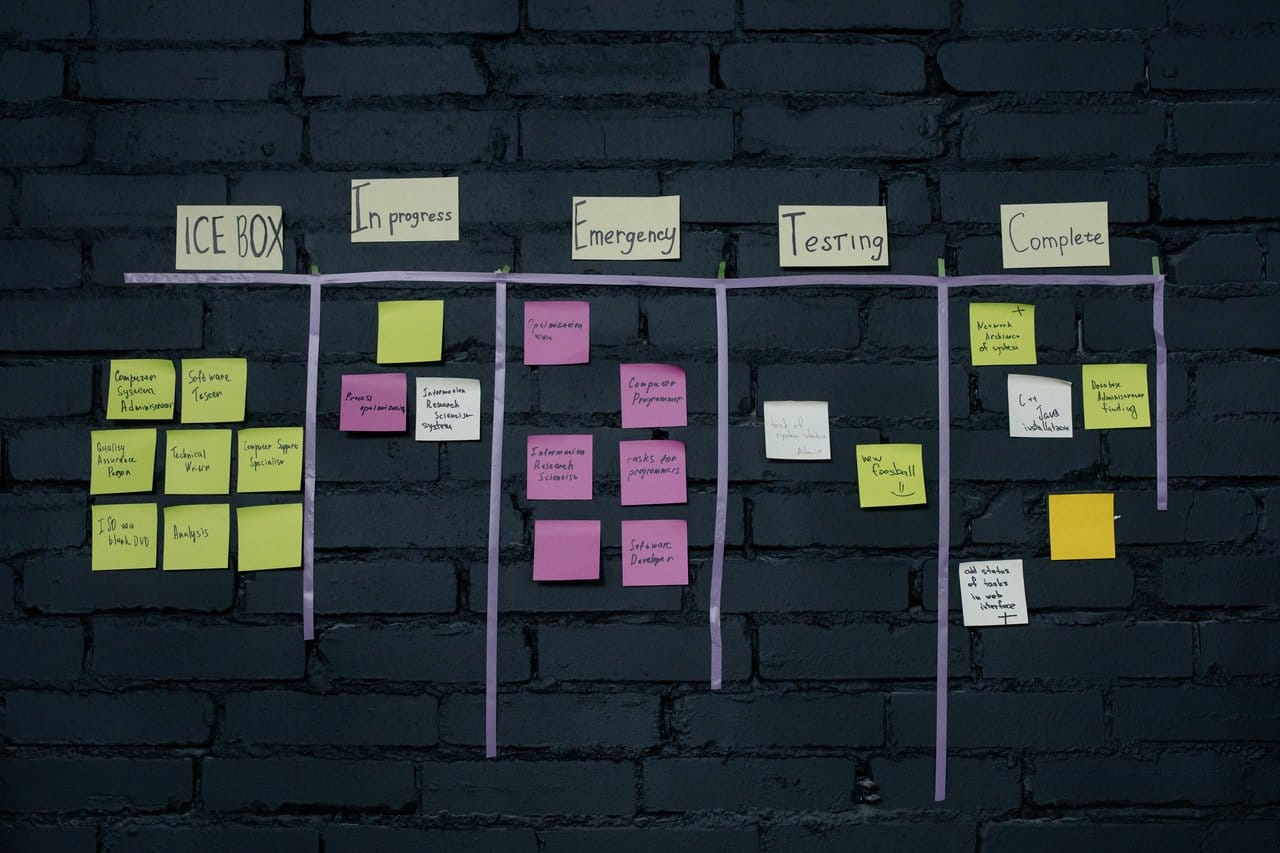
Every team has workflows — the repeatable sequences of tasks that turn a request into a result. And in most teams, those workflows grew organically: a step added after an incident here, an extra approval demanded by a manager there, a spreadsheet created as a workaround somewhere else. The result is work that moves slowly not because people are slow, but because the path itself is cluttered.
This guide explains what it really means to streamline workflows, how a workflow differs from a business process, and a 7-step method to make any team workflow faster and more predictable — with concrete before-and-after examples.
What Does It Mean to Streamline a Workflow?
To streamline a workflow means to simplify the sequence of tasks a team follows to complete a piece of work, so that it flows from start to finish with as little friction as possible. In practice, that involves:
- Clarifying ownership — every step has one responsible person and a deadline.
- Removing redundant steps — approvals, reviews, and forms that add no value are cut.
- Reducing handoffs — work changes hands only when a different skill or authority is genuinely needed.
- Standardizing recurring tasks — templates and checklists replace improvisation.
- Automating the glue — routing, notifications, reminders, and data transfer happen without human effort.
A streamlined workflow, then, is one where nobody has to ask “whose turn is it?”, “where is that request?”, or “which version is the right one?”. The path is short, visible, and the same every time.
Workflow vs. Business Process: What Is the Difference?
The two terms are often used interchangeably, but they describe different levels of work:
- A workflow is the task-level sequence a team follows to complete one piece of work — approve a document, publish a post, resolve a ticket, reimburse an expense. It usually lives inside one team or department.
- A business process is an end-to-end flow that delivers an outcome for the business, often crossing several departments — order-to-cash, procure-to-pay, employee onboarding. One process typically contains several workflows.
The distinction matters because the improvement techniques differ in scope. Streamlining a workflow is usually fast: a team can redesign its own approval flow in a week. Streamlining an entire business process requires mapping departments, systems, and policies — if that is your goal, start with our guide on how to streamline business processes.
Why Streamline Workflows? Key Benefits
Teams that deliberately streamline their workflows see the same gains, regardless of the department:
- Faster turnaround: removing waits and redundant approvals shortens the path from request to done — often by more than half.
- Fewer errors and less rework: standardized steps and clear ownership prevent things from falling through the cracks.
- Less coordination overhead: when status is visible, the “any update on this?” messages and check-in meetings largely disappear.
- Predictable delivery: a consistent flow produces consistent lead times, which makes commitments reliable.
- Better onboarding: new team members learn a documented workflow in days instead of absorbing tribal knowledge for months.
- Happier teams: people spend their energy on the work itself, not on chasing approvals and hunting for information.
Signs Your Workflow Needs Streamlining
Watch for these symptoms in any team’s daily work:
- Work waits for days between steps that each take minutes to perform.
- Nobody can say, without asking around, where a given request currently stands.
- The same information is re-entered in more than one tool or form.
- Approvals are requested from people who never reject anything — pure formality.
- Each person performs the same task in a different way, with different results.
- Urgent items are handled through a parallel “fast lane” of direct messages, bypassing the official flow.
Three or more of these usually mean the workflow — not the workload — is the bottleneck.
What McKinsey’s Research Reveals About Workflow Complexity
The symptoms above are not a local problem. McKinsey’s 2025 research on operating models found that two-thirds of executives see their own organizations as overly complex and inefficient — and that the cost of that complexity is measurable:
- 40 to 65 percent of management and overhead time is consumed by cross-cutting processes such as planning, budgeting, forecasting, and performance reviews — a slice of attention rarely examined as a source of lost productivity.
- Organizations that put business-as-usual processes under scrutiny are up to twice as likely to sustain a successful transformation than those that only redraw the org chart.
- One European retailer cut the number of participants in its 15 governance boards by more than 60 percent in a single week — the kind of quick win that builds momentum early.
The study’s central finding is worth stating plainly: structure is only a small part of sustained value capture. Updating the org chart while leaving processes and behaviors untouched tends to waste time and resources, because costs return as soon as the underlying way of working stays the same.
McKinsey groups the fix into four levers — eliminate, synchronize, streamline, and automate — the same logic behind the seven steps below: fix the flow first, then automate its mechanics.
Source: McKinsey & Company, Want to break the productivity ceiling? Rethink the way work gets done (August 2025).
How to Streamline Workflows in 7 Steps
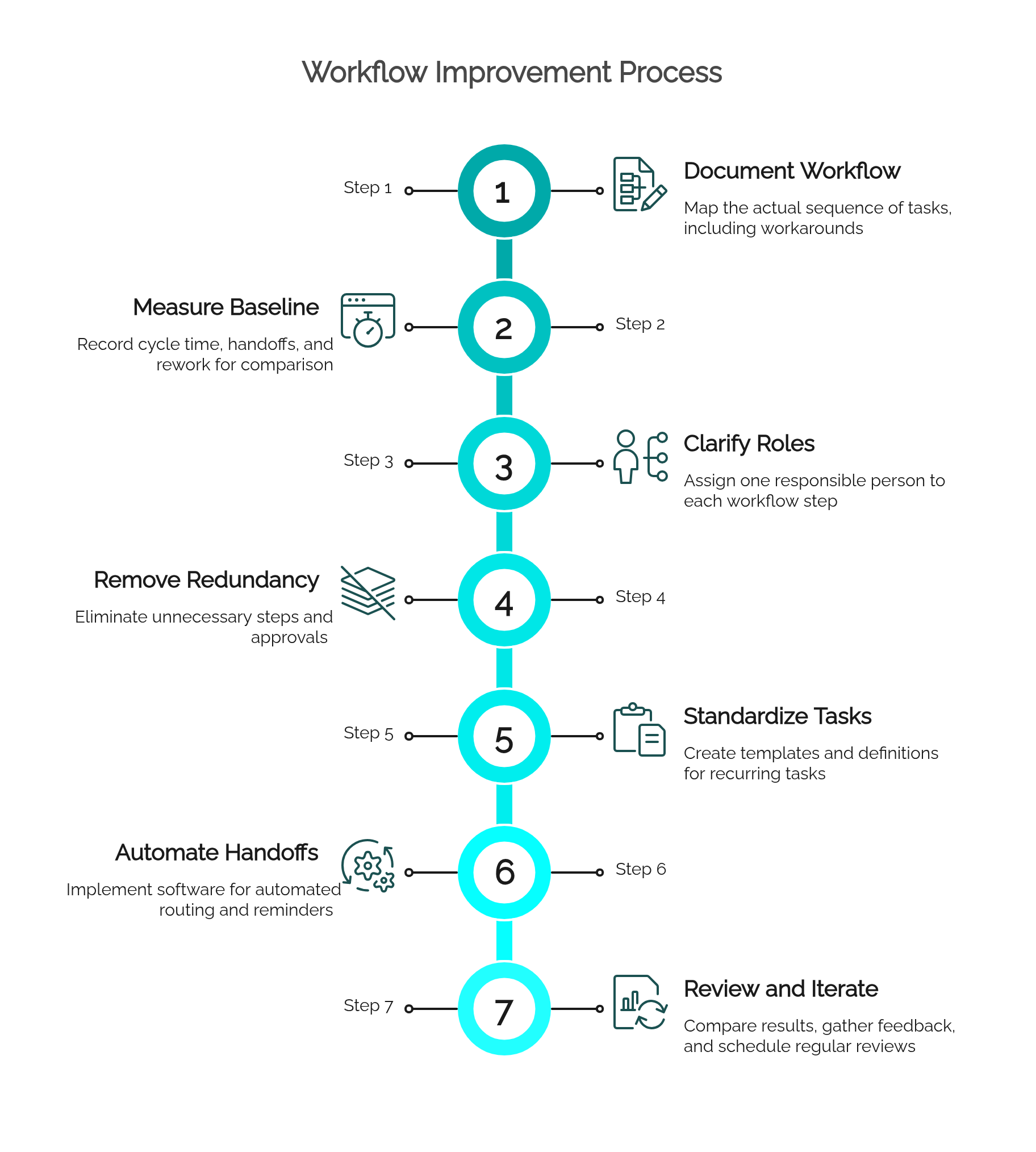
1. Document the Workflow As It Really Happens
Write down the actual sequence of tasks — not the official version, the real one, including the workarounds. Interview the people who execute it and note every step, handoff, tool, and wait. A simple flowchart is enough at this stage; the goal is a shared, honest picture.
2. Measure the Baseline
Record how long the workflow takes end to end, how many handoffs it has, and how often work comes back for correction. These three numbers are your before-and-after evidence.
3. Clarify Roles and Ownership
For each step, define one responsible person — not a group. Ambiguous ownership is the single most common cause of stalled work. If several people can perform a step, define how work is assigned among them.
4. Remove Redundant Steps and Approvals
Challenge every step: what would break if it disappeared? Cut approvals that exist only for visibility (replace them with notifications), merge reviews that always happen together, and eliminate forms whose data nobody uses.
5. Standardize Recurring Tasks
Create templates, checklists, and definitions of “ready” and “done” for the tasks that repeat. Standardization removes the small daily decisions that slow work down and cause inconsistency between team members.
6. Automate Handoffs, Routing, and Reminders
Once the flow is lean, automate its mechanics: requests enter through a form instead of chat messages, tasks route automatically to the right person, deadlines trigger reminders, and completed steps notify the next one. This is where workflow automation software pays off — after the design is fixed, not before.
7. Review the Numbers and Iterate
Compare cycle time, handoffs, and rework against the baseline from step 2. Publish the results, gather the team’s feedback, and schedule a review every few months — workflows accumulate clutter again unless someone owns keeping them lean.
Streamlined Workflow Examples: Before and After
Example 1: Content Approval
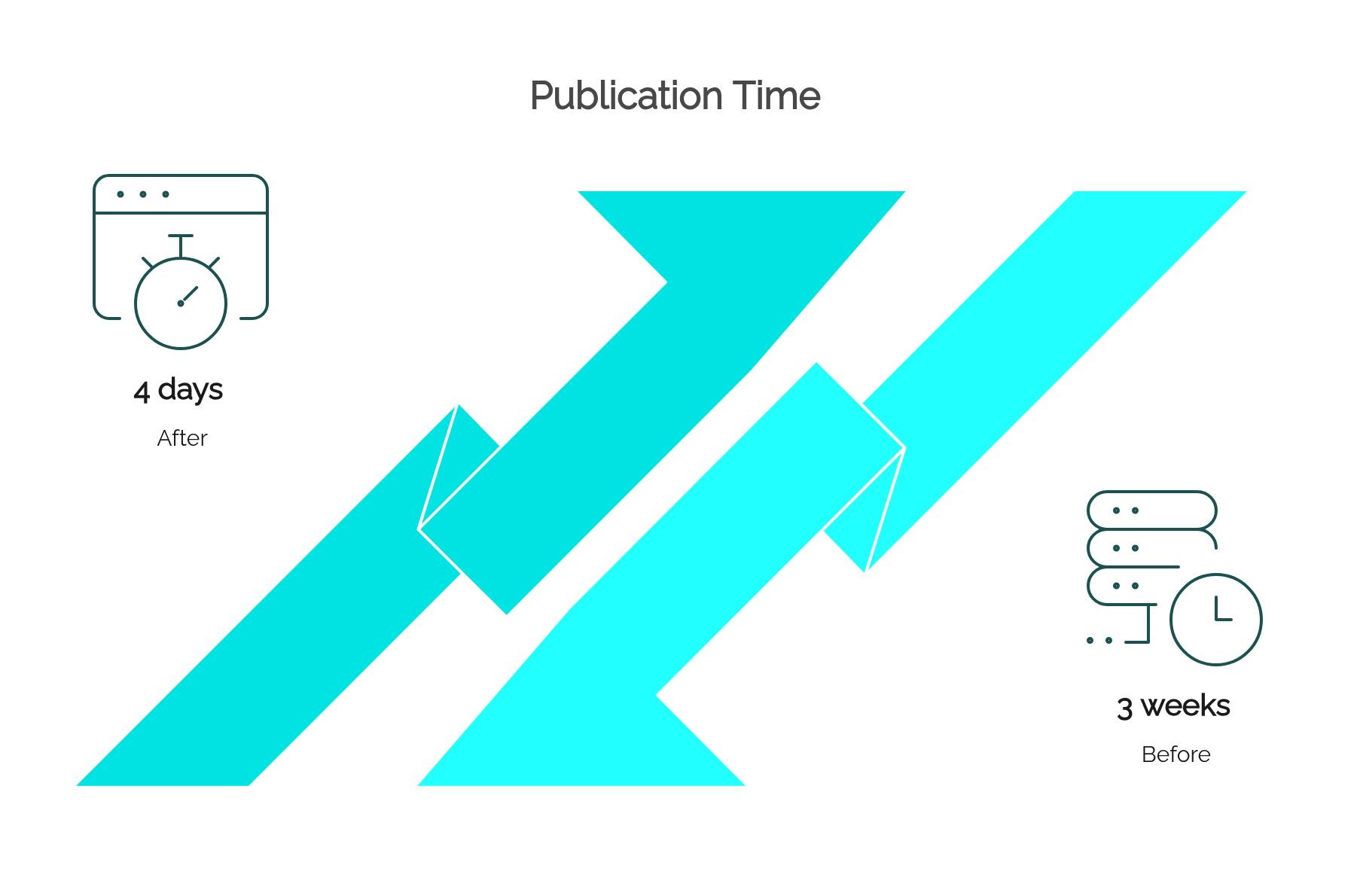
Before: a draft circulates by email among five reviewers in sequence; comments conflict, versions multiply, and publication takes three weeks.
After: the draft enters a defined flow — editorial review and legal review run in parallel, feedback is consolidated in one place, and a single approver signs off. Reminders fire automatically. Publication takes four days.
Example 2: Expense Reimbursement
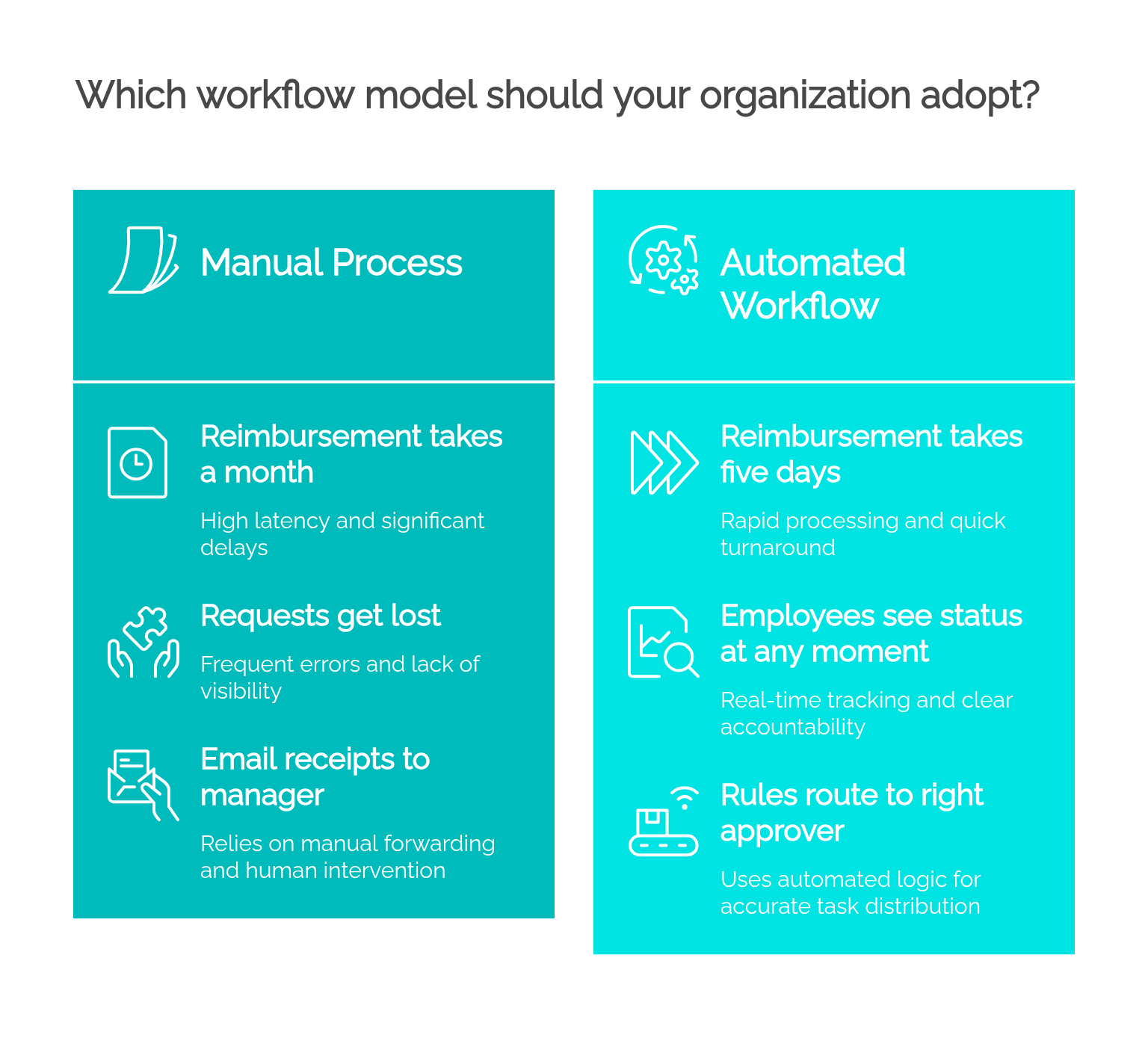
Before: employees email receipts to their manager, who forwards them to finance; requests get lost, and reimbursement takes a month.
After: a form captures the receipt and cost center, rules route it to the right approver based on amount, and finance receives a clean, complete request. Reimbursement takes five days, and employees can see the status at any moment.
Example 3: IT Support Triage
Before: requests arrive by email, chat, and hallway conversations; the team triages by memory, and urgent issues depend on who shouts loudest.
After: every request becomes a categorized ticket, priority rules assign it automatically, and SLA timers escalate anything about to breach. Average resolution time falls by 40%, and nothing is lost.
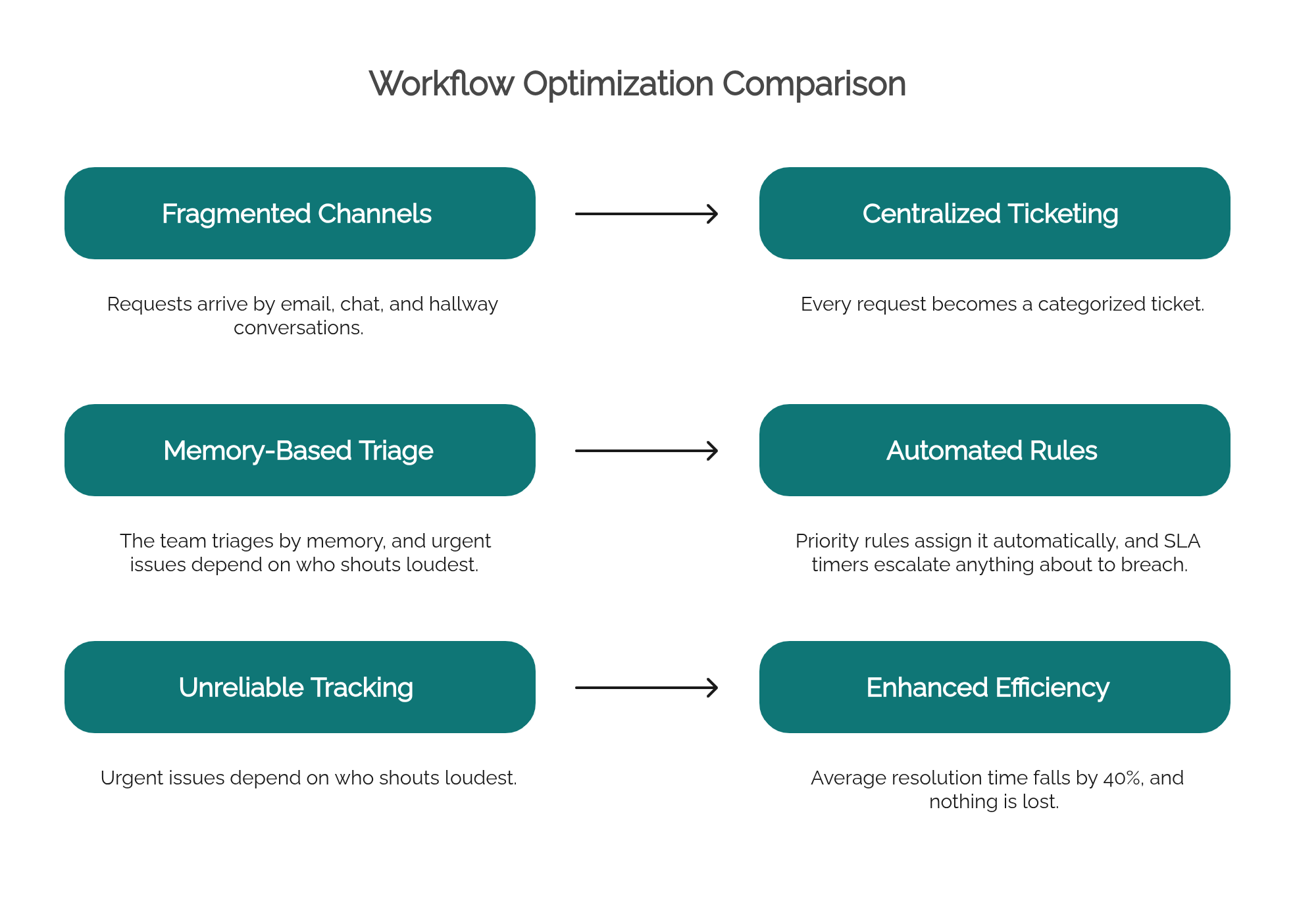
The pattern repeats across all three: first the flow was simplified, then it was automated. Automation applied to a cluttered workflow only produces faster clutter.
How to Measure a Streamlined Workflow
You cannot claim a workflow is streamlined without numbers. Four metrics tell most of the story:
- Cycle time: total elapsed time from request to completion. The headline metric — streamlining should cut it visibly.
- Touch time vs. wait time: how much of the cycle is actual work versus waiting. In cluttered workflows, waiting often exceeds 90% of the total; streamlining attacks exactly that share.
- First-pass yield: the percentage of items completed without being sent back for correction. Rising yield means the standardization is working.
- Volume per period: how many items the team completes per week with the same headcount. Throughput gains are the productivity story executives want to see.
Capture these before you change anything, then compare monthly. A streamlined workflow shows shorter cycles, a higher share of touch time, fewer corrections, and higher throughput — all at once, without extra hours from the team.
Best Practices to Keep Workflows Lean
- Give every workflow an owner — someone accountable for its performance, not just its execution.
- Limit work in progress: too many parallel items hide bottlenecks and stretch every lead time.
- Prefer notifications over approvals when the goal is awareness, not control.
- Keep exceptions exceptional: if the “special case” path is used weekly, design it into the standard flow.
- Review quarterly: a 30-minute look at the metrics and the team’s pain points keeps clutter from growing back.
Tools to Streamline Workflows
Tooling helps in three layers:
- Visibility: shared boards and dashboards that show where every item stands.
- Execution: workflow automation platforms that run forms, routing rules, deadlines, and escalations.
- Integration: connectors that move data between systems so nobody re-types it.
Platforms like HEFLO BPM cover the first two layers in one place: you model the workflow visually in BPMN, then execute that same model with no-code forms, automatic task routing, deadlines, and real-time dashboards. The diagram you design is the workflow your team runs — nothing is lost in translation.
👉 See it in practice: explore HEFLO’s workflow automation features.
Frequently Asked Questions
What does it mean to streamline a workflow?
It means simplifying the sequence of tasks a team follows to complete a piece of work: clarifying who does what, removing redundant steps and approvals, standardizing recurring tasks, and automating handoffs so work moves forward without waiting or rework.
What is the difference between a workflow and a business process?
A workflow is the task-level sequence a team follows to get one piece of work done, such as approving a document or resolving a ticket. A business process is broader: an end-to-end flow that can cross several departments and contain many workflows, such as order-to-cash or employee onboarding.
How do you streamline a workflow?
Document the workflow as it actually happens, assign a single owner for each step, remove steps and approvals that add no value, standardize recurring tasks with templates, automate routing and notifications, and track cycle time to confirm the change worked.
What is an example of a streamlined workflow?
Content approval is a common one: instead of circulating drafts by email among five reviewers, the streamlined workflow routes each draft to one editorial reviewer and one legal reviewer in parallel, with automatic reminders and a final sign-off step. Approval time typically drops from weeks to a few days.
What are the benefits of streamlining workflows?
Faster turnaround, fewer errors and less rework, less time lost to status-check messages, clearer accountability, more predictable delivery dates, and a team that spends its energy on the work itself instead of coordinating it.
Which tools help streamline workflows?
Workflow automation and BPM platforms handle forms, routing rules, deadlines, and dashboards; shared task boards give visibility; and integration tools remove duplicate data entry between systems. The tool matters less than fixing the workflow design first.
Final Thoughts
Streamlining workflows is the fastest kind of process improvement a team can make: the scope is small, the people who know the problems are in the room, and results show up in days. Document the real flow, cut the friction, standardize what repeats, automate the mechanics, and measure the difference.
When you are ready to go beyond a single team’s workflow, the same discipline applies end to end — read our guide on how to streamline business processes to scale the method across the organization.