SAP Fiori vs SAP GUI: What Really Changes for Users
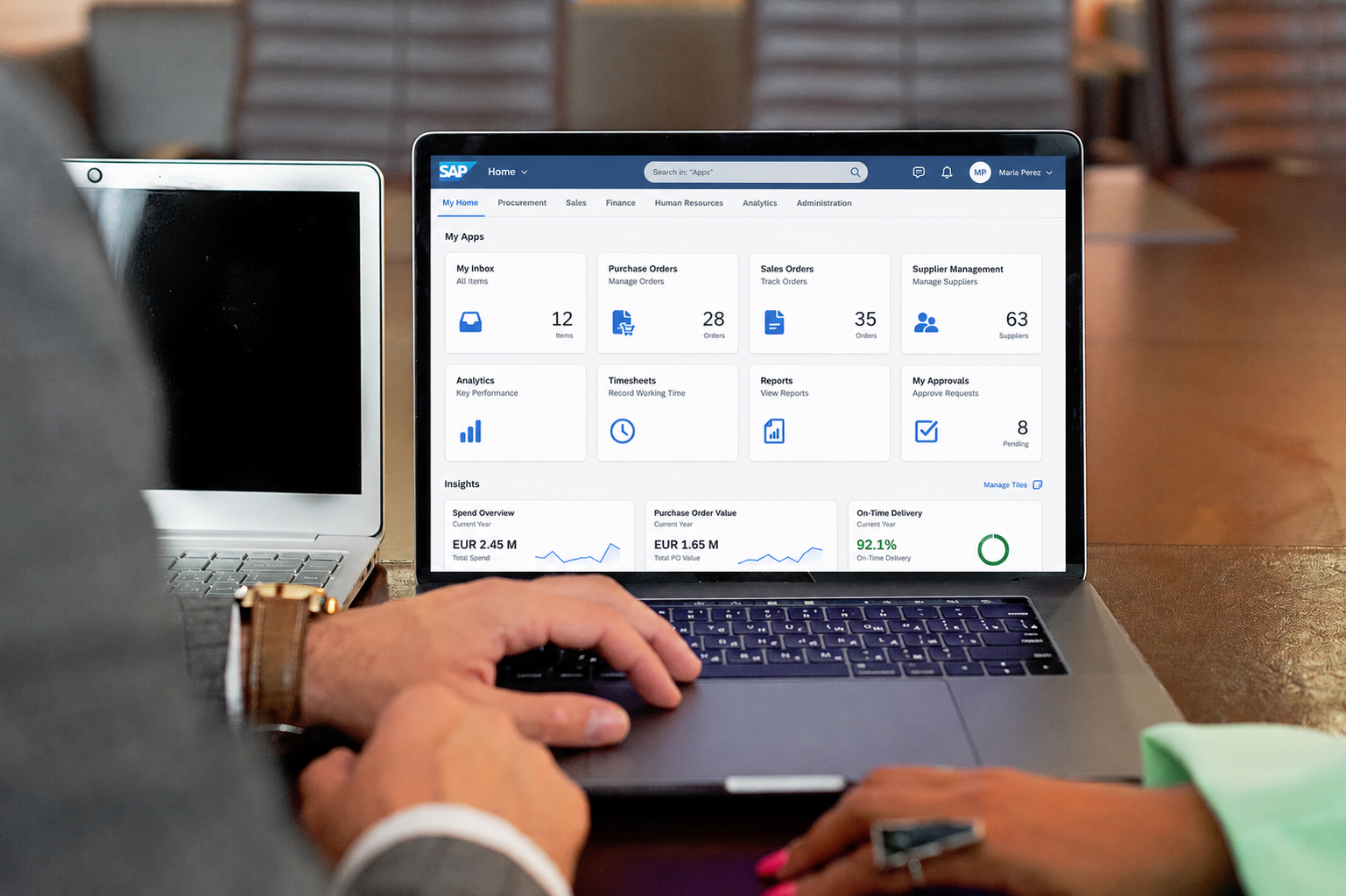
For many SAP users, moving from SAP GUI to SAP Fiori feels like more than a redesign. It changes how people find work, open applications, and complete tasks.
Experienced SAP GUI users rely on transaction codes, dense screens, keyboard habits, saved layouts, and years of muscle memory. SAP Fiori organizes the experience differently: around the Fiori Launchpad, role-based apps, tiles, and a modern web interface.
For new users, mobile scenarios, approvals, and self-service tasks, that shift is usually an improvement. It also creates friction in real cases: a power user loses speed, a familiar transaction gets split across several apps, or a Fiori app simply doesn't reach the functional depth of the GUI transaction it's meant to replace.
So the useful question isn't "old interface versus new interface." It's which experience fits the user, the task, the device, and the business process.
SAP Fiori and SAP GUI in plain terms
SAP GUI is the interface most SAP users have worked with for years. It's transaction-oriented and dense, and it's efficient for people who already know where to go. They navigate through transaction codes, menus, shortcuts, layout variants, and screens that expose a lot of information at once.
SAP Fiori starts from a different premise: the user's role and the task at hand. People reach Fiori apps through the Launchpad, where tiles are organized by roles, catalogs, spaces, and permissions. The practical effect is a more focused entry point — approve something, create a request, check a KPI, review a list — instead of "open this transaction and figure out the rest."
This is where reactions diverge. A new employee may find a role-based Launchpad far easier than learning transaction codes. A power user may find the same experience slower if it strips away the shortcuts, density, and advanced options they use every day. And a single GUI transaction doesn't always map to a single Fiori app — sometimes it maps to several, sometimes to a redesigned journey, sometimes to nothing equivalent.
The difference, then, isn't mainly visual. SAP GUI is transaction-centric. SAP Fiori is role- and task-centric. Both are useful, but they suit different users and different kinds of work.
What actually changes for users
The most visible change is how work begins. In SAP GUI, you type a transaction code, land on the screen, apply your filters or variant, and go. For experts, that's blisteringly fast because the pattern is memorized. In Fiori, you start from the Launchpad and pick from the apps assigned to your role — selecting a task rather than recalling where it lives.
That single shift drives most of the others:
Access becomes role-based. The Launchpad shows what your role is meant to do, which cuts noise and helps occasional users. The trade-off: you won't see apps you aren't assigned to, even when they exist in the system.
Work becomes task-oriented. Fiori apps tend to target one activity — approve a purchase order, review a sales order, create a request. That's great for guided work and frustrating when you previously handled a broader flow inside one transaction.
Screens get lighter. GUI packs many fields, tabs, and filters onto one screen, which is exactly why power users like it. Fiori reduces visual complexity, which helps comprehension but hurts anyone who needs to compare many fields at speed.
Navigation changes shape. GUI rewards transaction codes, keyboard shortcuts, and known screen sequences. Fiori leans on Launchpad search, list reports, object pages, and links between related objects — more intuitive for newcomers, less direct for experts.
Devices open up. GUI was built for the desktop. Fiori was built for responsive web, which makes it far more practical on tablets and phones, for approvals on the move, and for field and self-service tasks.
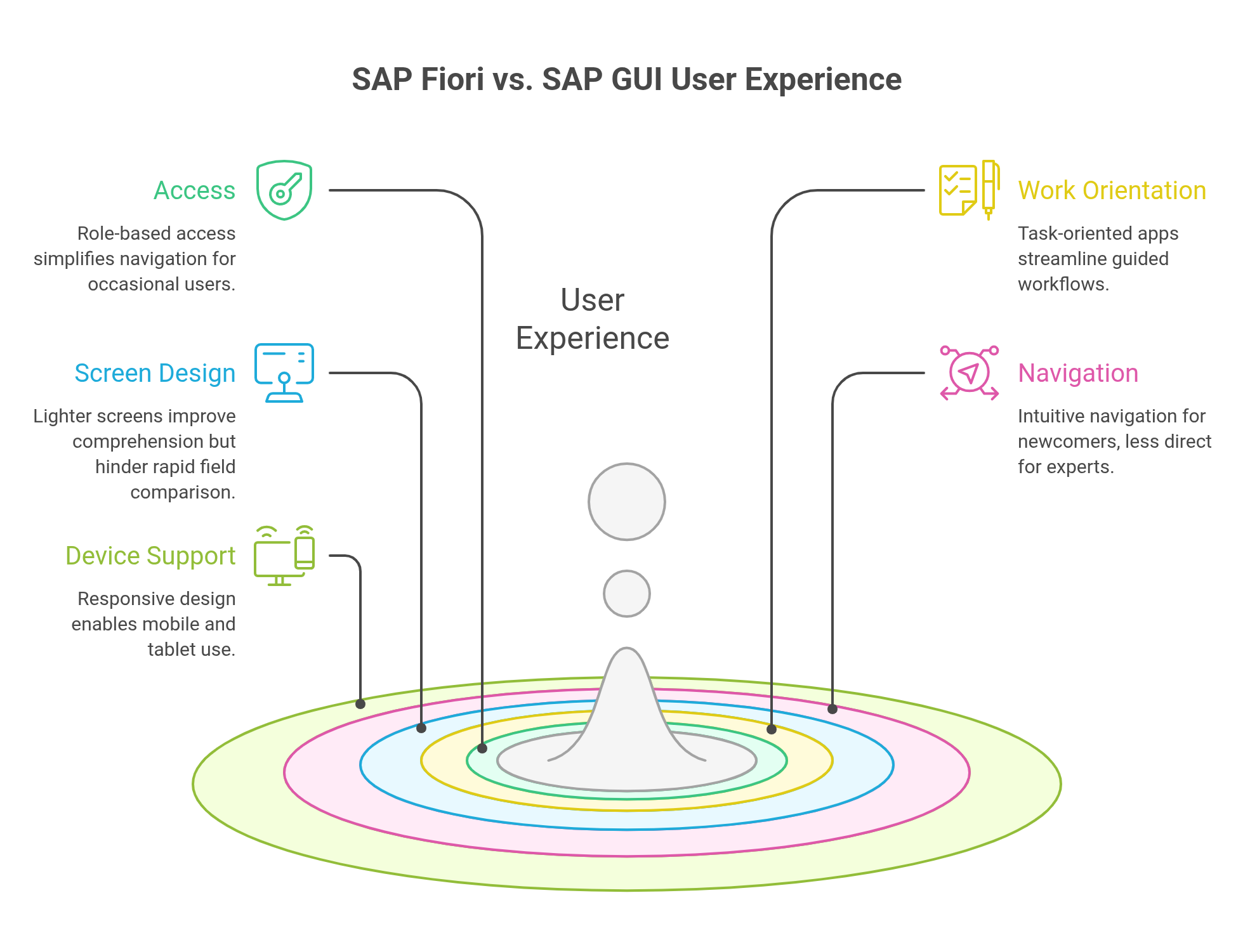
In other words, the transition reshapes how users discover work, how much they see at once, and how tightly the interface is bound to roles. That's why the same change delights one group and irritates another.
Why some users still prefer SAP GUI
Many complaints about Fiori aren't aesthetic. People are comparing two ways of working, not two designs.
For experienced users, GUI feels faster because the transaction codes, screen sequences, shortcuts, and variants are already in their fingers. They don't want a guided experience — they want speed and control. This is sharpest for power users, key users, consultants, and technical staff whose work involves high-volume transactions, detailed checks, troubleshooting, or configuration across many fields. A dense GUI screen can beat a simplified app that hides information behind extra clicks.
Familiarity compounds this. Someone who has used the same transaction for years knows which fields matter, which warnings to ignore, and which variant gives the best view. Replacing that with a new app erodes productivity if the app doesn't match the real workflow.
Then there's functional depth. Fiori isn't always a one-to-one replacement. Some apps are excellent for focused tasks, approvals, and mobile work; some legacy transactions cover broader operational scenarios that the equivalent app only partly addresses. When an app covers part of what users need, they read it as a step backward — and sometimes the "simpler" interface is actually slower, because it removed the very elements that made expert work efficient.
Why new users often prefer SAP Fiori
Newcomers judge Fiori on different terms. If you don't know transaction codes or SAP's screen logic, GUI is intimidating: where do you start, which transaction, which fields are mandatory?
Fiori removes much of that friction by organizing work around apps, roles, and tasks. Instead of asking you to recall a code, the Launchpad presents a curated set — approvals, requests, reports, self-service actions. That's especially valuable for occasional users. Someone who only updates personal data, submits a request, or checks a status doesn't need the full depth of a traditional transaction; a focused app makes the task easy to find and finish.
Mobility matters here too. Managers approving while traveling, employees on self-service apps, field teams updating records from a tablet — these work better in a responsive interface than in a desktop-bound screen. For these users, the real benefit isn't that Fiori looks modern; it's that it maps closely to the job: open the right app, see what's relevant, decide, move on.
Choosing between them, scenario by scenario
The decision usually comes down to the nature of the work. Dense, repetitive, technical, or expert-driven tasks still favor GUI. Focused, role-based, mobile, analytical, or self-service tasks favor Fiori.
| Scenario | Better fit |
|---|---|
| High-volume operational work | SAP GUI |
| Expert users relying on T-codes and shortcuts | SAP GUI |
| Dense screens with many fields, filters, and variants | SAP GUI |
| Technical administration or deep configuration | SAP GUI / specialized tools |
| Legacy transactions without complete Fiori coverage | SAP GUI or SAP GUI for HTML |
| Frequent troubleshooting by key users or consultants | SAP GUI |
| Approval tasks | SAP Fiori |
| Employee and manager self-service | SAP Fiori |
| Mobile or field work | SAP Fiori |
| KPI monitoring and exception visibility | SAP Fiori |
| Guided business tasks and occasional usage | SAP Fiori |
| Approval workflows involving multiple roles, rules, and exceptions | SAP Fiori + BPM layer* |
| Request management with deadlines, escalations, and traceability | SAP Fiori + BPM layer* |
| End-to-end processes that go beyond a single SAP transaction or app | SAP Fiori + BPM layer* |
* In scenarios like these, SAP Fiori can provide the user-facing experience, while a BPM layer can manage workflow logic, approvals, deadlines, escalations, exceptions, and operational visibility.
None of this argues against Fiori adoption. It argues against treating Fiori as an automatic replacement for every GUI scenario. For some roles, the smartest modernization keeps GUI where it's still efficient and uses Fiori where role-based, guided, or mobile access creates clear value.
Is SAP Fiori replacing SAP GUI?
SAP Fiori is the strategic user experience for modern SAP, especially S/4HANA. That doesn't mean GUI vanishes from every company, role, and process on the same timeline.
What Fiori really changes is the default direction of UX design. New scenarios are increasingly built around role-based apps, Launchpad access, guided tasks, and responsive interfaces. But plenty of organizations still depend on GUI for expert work, legacy transactions, configuration, and high-volume operations.
"Replacement" is a misleading word because the reality is uneven. Sometimes a Fiori app replaces a transaction cleanly. Sometimes it covers only part of it. Sometimes the GUI transaction is simply surfaced through the Launchpad — giving users a central entry point without redesigning the underlying experience. Worth knowing here: the SAP Fiori Apps Reference Library doesn't only catalog Fiori apps. It also helps you plan classic SAP GUI and Web Dynpro apps for use in the Launchpad, and SAP's own documentation notes that you can check whether a GUI transaction can run in the Fiori Launchpad by searching its transaction code in that library.
The better question isn't whether Fiori replaces GUI. It's whether the Fiori experience supports the real work as well as — or better than — the transaction it's replacing. To answer that, validate the actual use case with the people who do the work: does the app cover the fields, filters, variants, actions, exceptions, authorizations, and reports they rely on? And consider the user profile, because a casual requester and a power user expect entirely different things.
For most companies the realistic future is hybrid. Fiori becomes the preferred entry point for business users, self-service, mobile tasks, approvals, and analytics. GUI keeps serving the users and scenarios where density, speed, depth, or technical control still matter. A successful transition doesn't force everyone into one interface — it matches the right experience to each role, task, and process.
The hidden issue: an app is not the whole process
A common mistake in Fiori projects is assuming a better app automatically produces a better process.
An app can improve how someone performs a task — make an approval easier, simplify a request, expose a KPI. But it's still one part of a broader process that also includes who starts the work, which data is required, who validates it, what rules apply, what happens when information is missing, who approves, what deadlines exist, how exceptions are handled, and how the result is monitored.
That's why a user can have a fine experience inside one app and still face a poor process. An approval app may be pleasant to use while the approval flow stays unclear. A request app may look modern while no one knows what happens after submission. A KPI tile may flag an exception the organization has no procedure to resolve.
So evaluate apps against the end-to-end process, not just the screen:
| Question | Why it matters |
|---|---|
| What business process does this app support? | Keeps app selection connected to real work. |
| Which role uses it, and at what point in the process? | Clarifies responsibilities and handoffs. |
| What happens before and after the user's task? | Avoids fragmented journeys. |
| Which exceptions are common? | Shows whether the app handles real operational variation. |
| What does the user need to decide or act? | Stops oversimplified screens from removing critical context. |
| How will users know where the process stands? | Connects execution with visibility and accountability. |
This matters most when replacing a GUI transaction. The transaction may have supported a broad flow while the app supports a narrower task — fine when the goal is to simplify work for one role, risky when no one maps the full process and how the pieces connect. A modern app helps a user finish a task; a well-designed process helps the organization coordinate work across roles, systems, rules, and deadlines.
A checklist before replacing GUI with Fiori
Don't base the decision on whether a Fiori app exists — base it on whether the app supports the user, the task, and the process well enough.
| Question | What to verify |
|---|---|
| Does the app cover the required work? | The fields, actions, filters, variants, reports, and exceptions users rely on today. |
| Who uses the transaction today? | Separate casual users, key users, consultants, technical users, and high-volume power users. |
| How often is the task performed? | Occasional tasks benefit from guidance; repetitive expert tasks need speed and density. |
| How much information is needed at once? | If users compare many fields, records, or exceptions, a simplified app may fall short. |
| Is the task part of a broader process? | Understand what happens before and after the app. |
| Are there common exception paths? | Check rework, missing data, rejection, escalation, and alternative flows. |
| Does the role design match real work? | Users should see the apps they need without a Launchpad full of irrelevant tiles. |
| Will users still need GUI? | Decide between full replacement, partial replacement, or coexistence. |
| Has performance been tested with real data? | A good-looking app fails adoption if loads, filters, or backend services are slow. |
| Is there documentation and training? | Users need to understand how the app fits their process, not just which tile to open. |
Apply this with real users, not only during technical configuration. Key users surface the details that are easy to miss — hidden dependencies, layout variants, manual checks, spreadsheet exports, exception routines. And compare scenarios before deciding: an app may be perfect for a manager approving a request yet inadequate for a specialist processing dozens of cases an hour. The same organization may legitimately need Fiori for one role and GUI for another.
Conclusion: different problems, different tools
SAP Fiori and SAP GUI aren't "modern versus old." They solve different user-experience problems.
Fiori is strongest when users need role-based, guided, mobile, analytical, or self-service work. It helps people find relevant tasks, drops the need to memorize transaction codes, and gives business activities a focused entry point.
GUI stays valuable when users need speed, density, familiarity, and deep operational control. For power users, consultants, technical staff, and high-volume roles, the traditional experience can still beat a simplified app that hides information or adds navigation.
In real environments the answer is rarely a clean swap. Some roles thrive on Fiori as their main entry point; others still need GUI for expert work; some scenarios call for a redesigned Fiori journey rather than a one-to-one port; some processes need both, depending on who's involved.
The lesson is straightforward: Fiori adoption isn't a cosmetic migration from transactions to tiles. It's a user- and process-design decision. When the app, role, device, data, and process line up, Fiori makes SAP work more accessible and focused. When they don't, users lose speed, visibility, or depth. The strongest SAP teams don't only ask, "Can we replace this transaction with Fiori?" They ask, "Which experience helps this user do this work better?"
FAQ
Can SAP Fiori and SAP GUI be used together?
Yes. Many SAP environments use SAP Fiori and SAP GUI together.
SAP Fiori may become the main entry point for role-based apps, approvals, self-service, dashboards, mobile tasks, and guided business activities. SAP GUI may remain available for expert transactions, technical work, configuration, troubleshooting, or legacy scenarios where users still need speed and functional depth.
This hybrid approach is often more realistic than trying to replace every SAP GUI transaction at once.
Is a Fiori tile always a native SAP Fiori app?
No. A tile in the SAP Fiori Launchpad is an entry point, not a guarantee that the underlying application is a native SAP Fiori app.
Depending on the configuration, a tile may open a native Fiori app, a SAP GUI transaction through the browser, a Web Dynpro application, an external URL, or another type of configured application.
This is one reason users may see very different experiences while still accessing everything from the Launchpad.
Why does SAP Fiori sometimes feel more fragmented than SAP GUI?
SAP GUI transactions are often broad and transaction-centric. A single transaction may include actions, fields, tabs, and reports used by different roles.
SAP Fiori usually follows a more role-based and task-oriented model. Instead of exposing one broad transaction to everyone, the experience may be divided into several apps designed for specific roles or activities.
This can improve clarity for occasional users, but it can feel fragmented for power users if the end-to-end journey is not well designed.
What should teams test before moving users from SAP GUI to Fiori?
Teams should test real work scenarios, not only whether the Fiori app exists.
They should verify whether the app supports the fields, actions, filters, variants, reports, exceptions, authorizations, and performance expectations users rely on today. They should also test the full journey with key users and power users, because small missing details can have a major impact on productivity.
The best test is not..
Can the app open?
.. but ..
Can the user complete the work efficiently and correctly?
Does SAP Fiori reduce the need for user training?
Not completely.
SAP Fiori can make some tasks easier to understand, especially for occasional users, managers, approvers, and self-service scenarios. But users still need to know which apps to use, how the Launchpad is organized, what their role allows, what changed from SAP GUI, and how each app fits into the broader business process.
A modern interface can reduce friction, but it does not eliminate the need for onboarding, documentation, and process guidance.
Why do some users lose visibility after moving to SAP Fiori?
SAP Fiori is role-based, so users usually see only the apps assigned to their role. This improves focus and security, but it can also reduce discoverability if roles are too narrow or if users do not know which apps exist.
Good governance helps avoid this problem. Teams should maintain clear role definitions, internal app catalogs, documentation, training materials, and access request processes so users can understand not only what they can access, but also what exists and why.